Une eSIM de voyage fonctionne-t-elle pour les appels et les SMS ?
Certaines eSIM de voyage sont uniquement data, tandis que d'autres peuvent inclure les appels et les SMS. Découvrez comment fonctionnent les appels via une eSIM de voyage, ce qu'il advient des codes de vérification, et comment rester joignable à l'étranger.
Une eSIM de voyage fonctionne-t-elle pour les appels et les SMS ?
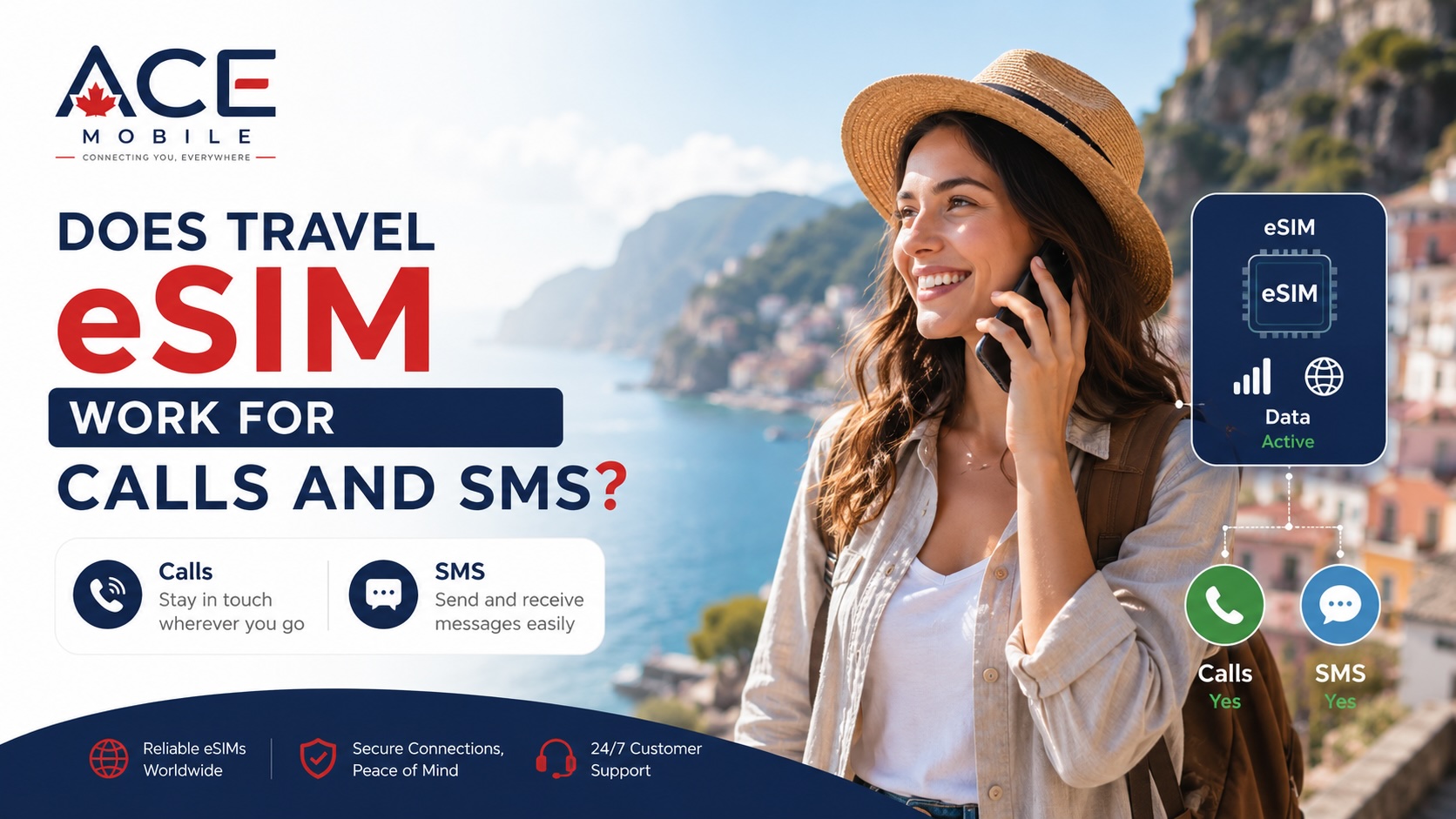
Parfois — mais de nombreuses eSIM de voyage sont uniquement data.
Une eSIM de voyage fournit généralement des données mobiles à votre téléphone pendant que vous êtes à l'étranger, afin que vous puissiez utiliser les cartes, WhatsApp, les e-mails, les applications de VTC, les applications de traduction et les sites Web. Cependant, toutes les eSIM de voyage n'incluent pas un numéro de téléphone local, des appels vocaux classiques ou la messagerie SMS.
Pour les voyageurs internationaux, c'est l'une des choses les plus importantes à comprendre avant d'acheter une eSIM :
- Une eSIM de voyage uniquement data vous donne un accès à Internet mais n'inclut généralement pas les appels ou SMS classiques.
- Une eSIM voix/SMS peut inclure un numéro de téléphone, les appels et les SMS, selon le fournisseur et la destination.
- Votre SIM principale peut encore recevoir des appels ou des SMS si elle reste active et que votre opérateur prend en charge l'itinérance.
- Des applications comme WhatsApp, FaceTime, Messenger, WeChat, LINE et Telegram peuvent fonctionner via les données de l'eSIM.
Ce guide explique comment fonctionnent les appels et les SMS d'une eSIM de voyage, ce qu'il faut vérifier avant votre voyage, et comment résoudre les problèmes courants liés aux codes de vérification, aux appels et aux données mobiles à l'étranger.
Réponse rapide : une eSIM de voyage inclut-elle les appels et les SMS ?
Certaines oui, mais de nombreux forfaits d'eSIM de voyage sont uniquement data.
| Type d'eSIM de voyage | Données mobiles | Appels classiques | SMS classiques | Numéro de téléphone |
|---|---|---|---|---|
| eSIM de voyage uniquement data | Oui | Généralement non | Généralement non | Généralement non |
| eSIM de voyage avec voix/SMS | Oui, si inclus | Oui, si inclus | Oui, si inclus | Généralement oui |
| eSIM d'opérateur local | Généralement oui | Souvent oui | Souvent oui | Généralement oui |
| Itinérance de la SIM principale | Selon l'opérateur | Généralement oui | Généralement oui | Votre numéro existant |
Avant d'acheter, vérifiez attentivement les détails du forfait. Si l'eSIM est décrite comme « uniquement data », vous ne devez pas vous attendre à ce qu'elle reçoive des codes de vérification SMS classiques ou passe des appels téléphoniques traditionnels.
Qu'est-ce qu'une eSIM de voyage uniquement data ?
Une eSIM de voyage uniquement data est conçue pour fournir Internet mobile à l'étranger. Elle n'inclut généralement pas de numéro de téléphone classique pour appeler ou texter.
Avec une eSIM uniquement data, vous pouvez généralement utiliser :
- Google Maps ou Apple Plans
- iMessage via les données
- FaceTime
- Messenger
- LINE
- Telegram
- Recherches dans le navigateur
- Applications de VTC
- Applications de traduction
- Applications de réservation de voyage
- Le partage de connexion, si pris en charge par le forfait
Mais vous ne pouvez généralement pas utiliser cette eSIM pour :
- Les appels vocaux cellulaires classiques
- La messagerie SMS classique
- La réception de codes de vérification SMS
- Les messages MMS
- La messagerie vocale traditionnelle de l'opérateur
Cela ne signifie pas que l'eSIM est défectueuse. Cela signifie simplement que le forfait est conçu pour les données mobiles plutôt que pour le service téléphonique.
Pourquoi de nombreuses eSIM de voyage sont-elles uniquement data ?
De nombreuses eSIM de voyage se concentrent sur les données car la plupart des voyageurs ont surtout besoin d'un accès à Internet. Avec les données mobiles, vous pouvez utiliser une communication par application au lieu des appels et SMS traditionnels.
Les eSIM uniquement data sont souvent utiles car les voyageurs peuvent :
- Éviter de retirer leur SIM physique
- Utiliser les cartes et les applications de voyage immédiatement après l'atterrissage
- Garder leur numéro principal actif sur une autre SIM
- Utiliser WhatsApp ou d'autres applications de messagerie via les données mobiles
- Éviter de dépendre uniquement du Wi-Fi public
- Gérer plus facilement les données prépayées
Pour de nombreux voyages, les données sont la principale exigence. Mais si vous avez besoin d'appels téléphoniques classiques ou de codes de vérification SMS, vous devez prévoir cela séparément.
Puis-je passer des appels téléphoniques avec une eSIM uniquement data ?
Vous ne pouvez généralement pas passer d'appels téléphoniques cellulaires classiques avec une eSIM de voyage uniquement data.
Cependant, vous pouvez passer des appels via Internet en utilisant des applications telles que :
- FaceTime Audio
- Messenger
- LINE
- Telegram
- Zoom
- Microsoft Teams
- Google Meet
- Skype
Ces appels utilisent les données mobiles au lieu des minutes vocales cellulaires traditionnelles.
Par exemple, si vous voyagez au Japon, au Canada, en Europe ou à Hong Kong avec une eSIM uniquement data, vous n'avez peut-être pas de numéro de téléphone local. Mais vous pouvez tout de même appeler des amis, de la famille, des hôtels ou des collègues via des applications d'appel par Internet si les deux parties peuvent utiliser l'application ou si l'application prend en charge l'appel de numéros de téléphone.
Puis-je recevoir des codes de vérification SMS avec une eSIM de voyage ?
Si votre eSIM de voyage est uniquement data, généralement non.
Les codes de vérification SMS sont normalement envoyés à un numéro de téléphone. Si votre eSIM de voyage n'inclut pas de numéro de téléphone ou de service SMS, elle ne peut pas recevoir ces codes.
C'est important pour :
- Les applications bancaires
- Les comptes de compagnies aériennes
- Les réservations d'hôtel
- Les applications de paiement
- Les connexions par e-mail
- Les connexions aux réseaux sociaux
- Les services gouvernementaux
- L'authentification à deux facteurs
- La revérification de WhatsApp
Si vous avez besoin de codes SMS à l'étranger, votre SIM principale peut rester importante.
Puis-je garder ma SIM principale pour les SMS tout en utilisant les données de l'eSIM de voyage ?
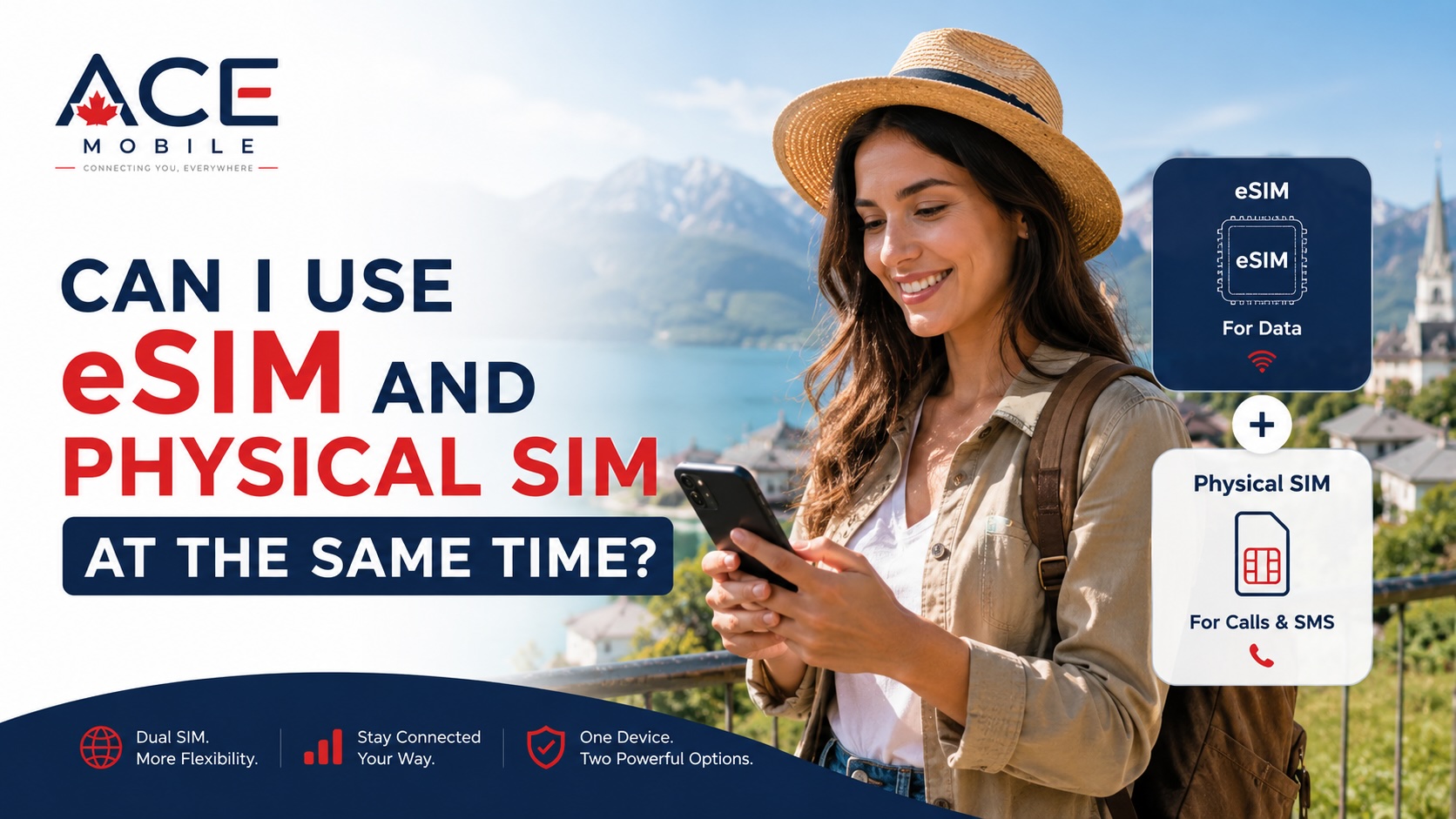
Oui. De nombreux voyageurs internationaux utilisent cette configuration :
| Fonction | Configuration recommandée |
|---|---|
| Données mobiles à l'étranger | eSIM de voyage |
| Numéro de téléphone habituel | SIM principale |
| Codes de vérification SMS | SIM principale, si les SMS en itinérance fonctionnent |
| Compte WhatsApp | Numéro de téléphone existant |
| Appels Internet | Données de l'eSIM de voyage ou Wi-Fi |
| Itinérance des données de la SIM principale | Désactivée, sauf itinérance intentionnelle |
| Itinérance des données de l'eSIM de voyage | Activée, si exigée par le fournisseur |
Cette configuration permet à votre eSIM de voyage de gérer les données mobiles tandis que votre SIM principale reste disponible pour les SMS ou les appels.
Cependant, votre opérateur principal peut facturer les appels en itinérance, les SMS sortants, les appels entrants ou l'accès quotidien à l'itinérance. Vérifiez la politique d'itinérance de votre opérateur avant de compter sur votre SIM principale à l'étranger.
Mon numéro de téléphone habituel fonctionnera-t-il encore ?
Votre numéro de téléphone habituel reste sur votre SIM principale ou votre eSIM principale. Installer une eSIM de voyage ne déplace ni ne remplace généralement ce numéro.
Si votre SIM principale reste active à l'étranger, votre numéro habituel peut encore fonctionner pour :
- Les SMS entrants
- Les SMS sortants
- Les appels entrants
- Les appels sortants
- La messagerie vocale
- L'authentification à deux facteurs
Que cela fonctionne dépend de votre opérateur principal, de vos réglages d'itinérance et de la destination.
Si vous désactivez complètement votre SIM principale, vous risquez de ne pas recevoir de SMS ou d'appels classiques sur votre numéro habituel jusqu'à ce que vous la réactiviez.
WhatsApp fonctionnera-t-il sans appels ni SMS ?
Oui. WhatsApp peut fonctionner avec une eSIM de voyage uniquement data car WhatsApp utilise les données Internet.
Votre compte WhatsApp est généralement lié au numéro de téléphone que vous avez utilisé lors de votre inscription. Il ne change normalement pas simplement parce que votre téléphone utilise une eSIM de voyage pour les données.
Avec une eSIM uniquement data, WhatsApp peut généralement :
- Envoyer des messages
- Recevoir des messages
- Passer des appels vocaux
- Passer des appels vidéo
- Partager des photos et des vidéos
- Envoyer des messages vocaux
- Utiliser les discussions de groupe
- Partager sa position en direct
La principale précaution concerne la vérification. Si vous réinstallez WhatsApp à l'étranger ou devez revérifier votre numéro, WhatsApp peut envoyer un SMS ou un appel à votre numéro enregistré. Une eSIM de voyage uniquement data ne peut généralement pas recevoir ce code.
Puis-je utiliser iMessage ou FaceTime avec une eSIM de voyage ?
Oui, iMessage et FaceTime peuvent fonctionner via les données de l'eSIM de voyage, selon votre identifiant Apple, votre numéro de téléphone et vos réglages.
Si vous utilisez un iPhone, iMessage peut être lié à :
- Votre numéro de téléphone
- L'e-mail de votre identifiant Apple
- À la fois votre numéro de téléphone et votre identifiant Apple
En voyage, évitez de modifier les réglages d'iMessage sauf si nécessaire. Si votre SIM principale reste active, votre numéro de téléphone peut continuer de fonctionner pour iMessage. Si vous désactivez votre SIM principale, iMessage peut encore fonctionner via l'e-mail de votre identifiant Apple, mais le comportement basé sur le numéro peut varier.
Une approche simple est :
- Définir les données mobiles sur votre eSIM de voyage
- Rester connecté à votre identifiant Apple
- Garder votre SIM principale active si vous dépendez de votre numéro de téléphone pour iMessage
- Utiliser le Wi-Fi ou les données de l'eSIM de voyage pour envoyer des messages
Puis-je appeler des commerces locaux avec une eSIM de voyage ?
Cela dépend du type d'eSIM.
Si votre eSIM est uniquement data, vous ne pouvez généralement pas passer d'appels téléphoniques locaux classiques directement depuis cette eSIM. Cela peut être important si vous devez appeler :
- Des hôtels
- Des restaurants
- Des cliniques
- Des agences de location de voiture
- Des voyagistes locaux
- Des compagnies aériennes
- Des livreurs
- Des lignes d'assistance du service client
Les solutions de contournement incluent :
- Appeler via WhatsApp ou une autre application de messagerie si le commerce l'utilise
- Utiliser votre SIM principale pour un appel classique, en sachant que des frais d'itinérance peuvent s'appliquer
- Demander l'aide de la réception ou du concierge de l'hôtel
- Utiliser le Wi-Fi public et un service d'appel par Internet
- Choisir une eSIM de voyage ou une SIM locale incluant un service vocal si les appels sont importants
Pour les voyages où les appels locaux sont essentiels, vérifiez les fonctionnalités du forfait avant l'achat.
Puis-je recevoir des alertes d'urgence ou passer des appels d'urgence ?
Les appels et alertes d'urgence dépendent de l'appareil, de la destination, des réseaux locaux, du statut de la SIM et de la réglementation.
Dans de nombreux endroits, les téléphones peuvent tenter des appels d'urgence même sans forfait payant actif, mais le comportement varie selon le pays, le réseau et l'appareil. Ne comptez pas sur une eSIM de voyage uniquement data comme seul moyen de communication d'urgence.
Pour un voyage plus sûr :
- Connaissez le numéro d'urgence local avant l'arrivée
- Gardez votre SIM principale disponible si possible
- Enregistrez hors ligne les coordonnées de l'hôtel et de l'ambassade/consulat
- Notez ou enregistrez hors ligne les adresses importantes
- Utilisez l'assistance locale si votre service téléphonique est limité
Si les appels d'urgence sont une préoccupation majeure pour votre voyage, envisagez un forfait avec service vocal ou une SIM locale d'un opérateur de votre destination.
Comment vérifier si votre eSIM de voyage inclut les appels ou les SMS
Avant d'acheter ou d'installer une eSIM, vérifiez attentivement les détails du forfait.
Recherchez des termes tels que :
| Détail du forfait | Ce que cela signifie généralement |
|---|---|
| Uniquement data | Accès à Internet seulement, pas d'appels ou SMS classiques |
| Voix incluse | Les appels traditionnels peuvent être pris en charge |
| SMS inclus | La messagerie texte peut être prise en charge |
| Numéro local inclus | Le forfait peut fournir un numéro de téléphone |
| SMS entrants pris en charge | Peut recevoir des SMS, mais vérifiez les restrictions |
| Recharge disponible | Vous pourrez peut-être ajouter des données ou un service |
| Forfait régional | Peut couvrir plusieurs pays, souvent axé sur les données |
| Itinérance requise | Vous devrez peut-être activer l'itinérance des données pour la ligne eSIM |
Si la page du forfait n'indique pas clairement que les appels ou SMS sont inclus, supposez qu'il est uniquement data jusqu'à confirmation.
Dépannage : je ne peux pas recevoir de SMS sur mon eSIM de voyage
Si vous ne pouvez pas recevoir de SMS sur votre eSIM de voyage, vérifiez ces possibilités.
1. Votre eSIM est peut-être uniquement data
Le plus souvent, le forfait n'inclut tout simplement pas les SMS.
2. L'eSIM peut ne pas inclure de numéro de téléphone
Sans numéro de téléphone, l'eSIM ne peut pas recevoir de SMS classiques.
3. Les SMS peuvent ne prendre en charge que certains messages
Certains forfaits peuvent prendre en charge des fonctions SMS limitées, mais pas tous les codes de vérification ou messages internationaux.
4. Votre code de vérification va vers votre numéro principal
Si votre banque ou application a votre numéro principal, le code ira vers votre SIM principale, pas vers votre eSIM de voyage.
5. Votre SIM principale est désactivée
Si le code va vers votre numéro principal, votre SIM principale doit peut-être être activée et capable de recevoir des SMS en itinérance.
6. Votre téléphone a la mauvaise ligne SMS par défaut
Sur les téléphones double SIM, vérifiez quelle ligne est sélectionnée pour les SMS.
7. L'itinérance de l'opérateur peut être restreinte
Votre opérateur principal peut ne pas prendre en charge l'itinérance SMS dans votre destination, ou l'itinérance peut être désactivée sur votre compte.
Dépannage : je ne peux pas passer d'appels avec mon eSIM de voyage
Si les appels classiques ne fonctionnent pas, vérifiez d'abord le type de forfait.
1. Confirmez si les appels vocaux sont inclus
Si le forfait est uniquement data, les appels téléphoniques classiques ne fonctionneront pas depuis cette eSIM.
2. Utilisez des applications d'appel par Internet
Essayez WhatsApp, FaceTime Audio, Messenger, WeChat, LINE, Telegram, Zoom ou une autre application.
3. Vérifiez les données mobiles
Les appels par Internet nécessitent une connexion de données fonctionnelle. Ouvrez un site Web ou une application de cartes pour confirmer que les données de l'eSIM fonctionnent.
4. Vérifiez les autorisations de l'application
Assurez-vous que l'application d'appel a accès au micro et l'autorisation d'utiliser les données mobiles.
5. Utilisez le Wi-Fi pour les appels plus longs
Les appels vocaux et vidéo peuvent utiliser plus de données que la messagerie texte. Utilisez le Wi-Fi pour les longs appels lorsqu'il est disponible.
6. Utilisez votre SIM principale avec prudence
Si vous devez passer un appel classique, vous pourrez peut-être utiliser votre SIM principale, mais des frais d'itinérance peuvent s'appliquer.
Dépannage : ma SIM principale a cessé de recevoir des SMS après l'installation de l'eSIM
Installer une eSIM de voyage ne devrait normalement pas empêcher votre SIM principale de recevoir des SMS, mais les réglages peuvent changer.
Vérifiez :
- Votre SIM principale est-elle toujours activée ?
- Votre SIM principale est-elle sélectionnée pour les SMS ?
- Votre opérateur principal prend-il en charge l'itinérance SMS à destination ?
- Le mode avion est-il désactivé ?
- Votre téléphone est-il connecté à un réseau pris en charge ?
- Avez-vous accidentellement retiré ou désactivé votre SIM physique ?
- Votre compte chez l'opérateur principal est-il actif ?
- Êtes-vous dans une zone couverte par le signal ?
Si la vérification par SMS est importante, testez-la avant de quitter votre pays d'origine quand c'est possible.
Meilleure configuration pour les appels, les SMS et les données en voyage
Pour de nombreux voyageurs internationaux, la meilleure configuration est un mélange de données d'eSIM de voyage et d'accès au numéro de la SIM principale.
Configuration recommandée
| Besoin | Meilleure option |
|---|---|
| Cartes, applications, navigation | Données de l'eSIM de voyage |
| Messages/appels WhatsApp | Données de l'eSIM de voyage ou Wi-Fi |
| Codes de vérification SMS | SIM principale, si les SMS en itinérance fonctionnent |
| Appels classiques vers vos contacts | Applications d'appel par Internet ou SIM principale |
| Appels aux commerces locaux | Appels par application, aide de l'hôtel, SIM principale ou SIM locale avec voix |
| Éviter les frais de données d'itinérance | Désactiver l'itinérance des données de la SIM principale |
| Connexion de l'eSIM de voyage | Activer l'itinérance des données de l'eSIM si nécessaire |
Cela vous offre des données fiables tout en gardant votre numéro habituel disponible au besoin.
Comment éviter les problèmes d'appels et de SMS avant de voyager
Avant le départ :
- Confirmez si votre eSIM de voyage est uniquement data
- Confirmez que votre téléphone prend en charge l'eSIM
- Confirmez que votre téléphone est déverrouillé
- Installez et testez les applications de communication avant le voyage
- Gardez votre SIM principale disponible si vous avez besoin de codes SMS
- Configurez une authentification par application lorsque c'est possible
- Enregistrez les contacts importants hors ligne
- Téléchargez les cartes et les documents de voyage
- Vérifiez les frais d'itinérance de votre opérateur principal
- Sauvegardez WhatsApp, iMessage ou d'autres conversations importantes
Après l'arrivée :
- Définissez les données mobiles sur votre eSIM de voyage
- Activez l'itinérance des données pour l'eSIM de voyage si nécessaire
- Gardez l'itinérance des données de la SIM principale désactivée sauf si nécessaire
- Testez d'abord les données mobiles
- Testez WhatsApp ou une autre application de messagerie
- Vérifiez si les codes SMS arrivent sur votre SIM principale
- Évitez de réinstaller les applications qui nécessitent une vérification par SMS sauf si vous pouvez recevoir les codes
Devrais-je acheter une eSIM voix/SMS plutôt qu'une eSIM uniquement data ?
Cela dépend de votre voyage.
Une eSIM uniquement data suffit souvent si vous avez surtout besoin de :
- Cartes
- Applications de messagerie
- Accès au navigateur
- Applications de VTC
- Traduction
- Réseaux sociaux
- Appels par application
Une eSIM voix/SMS ou une SIM locale peut être préférable si vous avez besoin de :
- Un numéro de téléphone local
- Des appels locaux classiques
- La messagerie SMS classique
- Des appels professionnels
- Des confirmations de rendez-vous par SMS
- Appeler souvent des restaurants, des cliniques ou des services locaux
- Des services qui exigent un numéro local
Pour de nombreux voyageurs, le mode uniquement data est pratique et simple. Pour les voyageurs qui doivent utiliser les appels et SMS traditionnels, vérifier la prise en charge voix/SMS avant l'achat est essentiel.
La place d'ACE Mobile
ACE Mobile propose des forfaits eSIM de voyage prépayés pour les voyageurs internationaux qui veulent des données mobiles avant d'atterrir. Pour les voyageurs qui ont surtout besoin de WhatsApp, des cartes, de l'e-mail, du VTC, de la traduction, de la navigation et des appels par application, une eSIM de voyage peut être un moyen pratique de rester connecté à l'étranger.
Avant de choisir une eSIM de voyage, vérifiez si le forfait est uniquement data, si le partage de connexion est pris en charge, la quantité de données dont vous avez besoin, si l'itinérance doit être activée, et si votre téléphone prend en charge l'eSIM. Vous pouvez découvrir les options d'eSIM de voyage d'ACE Mobile sur acemobile.ca.
FAQ
Une eSIM de voyage inclut-elle un numéro de téléphone ?
Certaines oui, mais de nombreuses eSIM de voyage sont uniquement data et n'incluent pas de numéro de téléphone. Vérifiez les détails du forfait avant d'acheter.
Puis-je passer des appels téléphoniques classiques avec une eSIM de voyage ?
Seulement si l'eSIM de voyage inclut un service vocal. Les eSIM uniquement data ne peuvent généralement pas passer d'appels cellulaires classiques.
Puis-je recevoir des SMS avec une eSIM de voyage ?
Seulement si les SMS sont inclus. Une eSIM uniquement data ne peut généralement pas recevoir de SMS classiques ni de codes de vérification.
Puis-je utiliser WhatsApp avec une eSIM uniquement data ?
Oui. WhatsApp fonctionne via les données mobiles ou le Wi-Fi. Votre numéro WhatsApp reste généralement le même.
Comment recevoir les codes de vérification bancaires en utilisant une eSIM de voyage ?
Gardez votre SIM principale active si votre banque envoie les codes à votre numéro habituel, et confirmez que votre opérateur prend en charge les SMS en itinérance. Vous pouvez aussi configurer une authentification par application avant le voyage lorsque c'est possible.
Mon numéro habituel fonctionnera-t-il toujours lorsque j'installe une eSIM de voyage ?
Oui, votre numéro habituel reste généralement sur votre SIM principale ou eSIM principale. Installer une eSIM de voyage ne le déplace ni ne le remplace normalement.
Que dois-je faire si j'ai besoin d'appels locaux en voyage ?
Envisagez une eSIM de voyage voix/SMS, une SIM locale, des applications d'appel par Internet, l'aide de l'hôtel, ou l'utilisation prudente de votre SIM principale si les frais d'itinérance sont acceptables.
Réflexions finales
Les eSIM de voyage sont excellentes pour les données mobiles, mais elles ne prennent pas toutes en charge les appels et SMS. Beaucoup sont uniquement data, ce qui signifie qu'elles fonctionnent bien pour WhatsApp, les cartes, l'e-mail, la navigation et les appels par Internet, mais pas pour les appels téléphoniques classiques ni les codes de vérification SMS.
Avant de voyager, vérifiez si votre forfait inclut la voix ou les SMS, gardez votre SIM principale disponible si vous avez besoin de codes de vérification, et définissez les données mobiles sur votre eSIM de voyage après l'arrivée. Avec la bonne configuration, vous pouvez rester connecté à l'étranger sans semer la confusion entre votre numéro de téléphone, vos applications de messagerie ou vos réglages d'itinérance.
Articles connexes
- Qu'est-ce que l'eSIM et comment fonctionne-t-elle ?
- Puis-je utiliser WhatsApp avec une eSIM de voyage ?
- Puis-je utiliser une eSIM et une SIM physique en même temps ?
- Dois-je activer l'itinérance des données pour l'eSIM ?
- Forfaits eSIM de voyage ACE Mobile