Puis-je utiliser WhatsApp avec une eSIM de voyage ?
Oui, vous pouvez utiliser WhatsApp avec une eSIM de voyage. Découvrez comment votre numéro WhatsApp fonctionne à l'étranger, ce qu'il advient de la vérification par SMS, et comment éviter les erreurs de configuration courantes.
Puis-je utiliser WhatsApp avec une eSIM de voyage ?
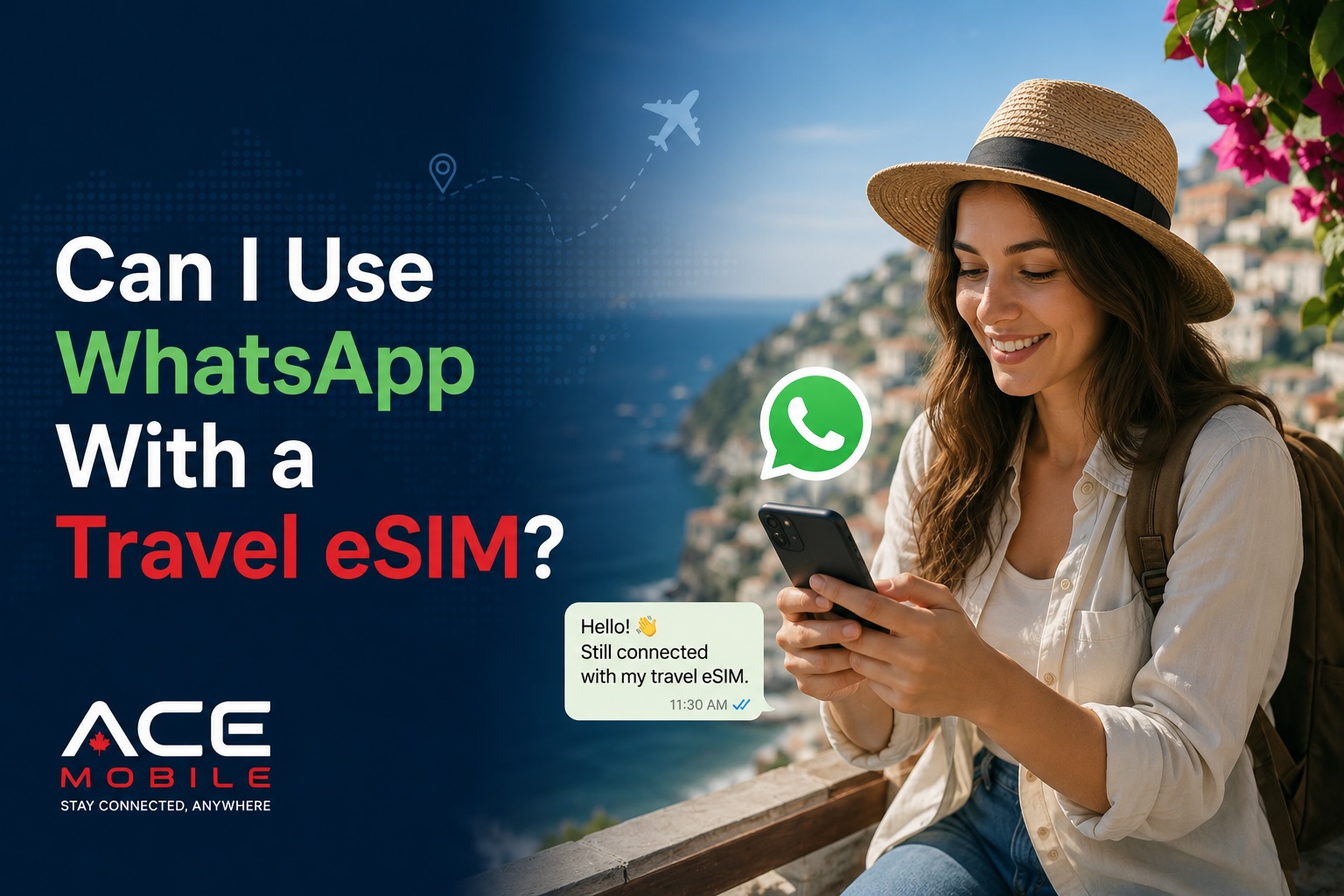
Oui, vous pouvez utiliser WhatsApp avec une eSIM de voyage.
Une eSIM de voyage fournit des données mobiles à votre téléphone pendant que vous êtes à l'étranger. WhatsApp n'a besoin que d'une connexion Internet pour envoyer des messages, passer des appels, partager des photos, recevoir des notifications et rester en contact avec vos contacts. Cette connexion Internet peut provenir de votre eSIM de voyage, du Wi-Fi de l'hôtel, du Wi-Fi de l'aéroport ou d'une autre SIM.
Le point essentiel est simple : utiliser une eSIM de voyage pour les données ne change généralement pas votre compte WhatsApp ni votre numéro de téléphone WhatsApp. Votre compte WhatsApp reste normalement lié au numéro de téléphone que vous avez utilisé lors de votre première inscription.
Pour les voyageurs internationaux, ce guide explique comment WhatsApp fonctionne avec une eSIM de voyage, ce qu'il advient de votre numéro de téléphone, si vous pouvez recevoir des codes de vérification, et comment éviter les erreurs courantes avant et pendant votre voyage.
Réponse rapide : WhatsApp fonctionne-t-il avec une eSIM de voyage ?
Oui. WhatsApp fonctionne avec une eSIM de voyage tant que votre téléphone a accès à Internet.
Une eSIM de voyage peut fournir la connexion de données mobiles dont WhatsApp a besoin pour :
- Envoyer et recevoir des messages
- Passer des appels vocaux WhatsApp
- Passer des appels vidéo WhatsApp
- Partager des photos et des vidéos
- Envoyer des notes vocales
- Partager votre position en direct
- Recevoir des notifications
- Utiliser les groupes WhatsApp
- Utiliser WhatsApp Business
Vous n'avez pas besoin de créer un nouveau compte WhatsApp simplement parce que vous utilisez une eSIM de voyage.
Mon numéro WhatsApp va-t-il changer ?
Non, votre numéro WhatsApp ne change normalement pas lorsque vous utilisez une eSIM de voyage.
Votre compte WhatsApp est lié au numéro de téléphone que vous avez utilisé lors de l'inscription. Une eSIM de voyage fournit généralement des données mobiles pour une utilisation internationale. Elle ne remplace pas automatiquement votre identité WhatsApp.
Par exemple :
| Situation | Que se passe-t-il pour WhatsApp ? |
|---|---|
| Vous installez une eSIM de voyage pour les données | WhatsApp continue d'utiliser votre compte existant |
| Vous désactivez les données mobiles sur votre SIM personnelle | WhatsApp peut toujours fonctionner avec les données de l'eSIM de voyage |
| Vous vous connectez au Wi-Fi de l'hôtel | WhatsApp fonctionne via le Wi-Fi |
| Vous utilisez une eSIM de voyage de données uniquement | WhatsApp utilise toujours votre numéro enregistré |
| Vous changez votre numéro WhatsApp manuellement | Votre numéro WhatsApp ne change que si vous choisissez de le changer |
Dans la plupart des cas, vos contacts verront toujours le même numéro WhatsApp et pourront vous envoyer des messages comme d'habitude.
Dois-je changer mon numéro WhatsApp en voyage ?
Non. La plupart des voyageurs ne devraient pas changer leur numéro WhatsApp lorsqu'ils utilisent une eSIM de voyage.
WhatsApp peut afficher des options liées aux numéros de téléphone ou à la vérification dans certaines situations, surtout si vous insérez une nouvelle SIM ou réinstallez l'application. Mais vous n'avez généralement pas besoin de changer votre numéro WhatsApp pour un voyage temporaire.
Conserver votre numéro WhatsApp d'origine est généralement préférable car :
- Vos amis, votre famille et vos collègues ont déjà votre numéro
- Vos discussions de groupe restent les mêmes
- Votre historique de messages reste connecté au même compte
- Vous évitez de désorienter vos contacts
- Vous n'avez pas besoin de réenregistrer votre compte à l'étranger
Ne changez votre numéro WhatsApp que si vous passez définitivement à un nouveau numéro, et non si vous utilisez simplement des données de voyage temporaires.
Comment WhatsApp utilise une eSIM de voyage
WhatsApp se moque de savoir quelle SIM fournit la connexion Internet. Il a seulement besoin que votre téléphone soit en ligne.
Votre connexion Internet peut provenir de :
- Une eSIM de voyage
- Les données d'itinérance de votre SIM personnelle
- Le Wi-Fi de l'aéroport
- Le Wi-Fi de l'hôtel
- Le Wi-Fi d'un café
- Un point d'accès Wi-Fi portable
- Le partage de connexion d'un autre téléphone
Cela signifie que vous pouvez conserver votre compte WhatsApp habituel tout en utilisant une eSIM distincte pour les données mobiles internationales.
Par exemple, un voyageur du Canada visitant le Japon peut garder son numéro WhatsApp canadien actif tout en utilisant une eSIM de voyage du Japon pour les données. Un voyageur de Hong Kong visitant le Canada peut continuer à utiliser le même compte WhatsApp tout en utilisant une eSIM de voyage du Canada pour l'accès Internet.
Puis-je utiliser les appels WhatsApp avec une eSIM de voyage ?
Oui. Les appels vocaux et vidéo WhatsApp peuvent fonctionner avec une eSIM de voyage car ils utilisent les données Internet.
Cependant, les appels utilisent plus de données que les simples messages texte. Les appels vidéo en particulier peuvent consommer des données rapidement, selon la qualité de l'appel, la force du signal et la durée de l'appel.
Une approche pratique consiste à :
- Utiliser les données de l'eSIM de voyage pour les messages, les courts appels vocaux et les communications urgentes
- Utiliser le Wi-Fi pour les longs appels vidéo
- Désactiver le téléchargement automatique des médias sur les données mobiles
- Éviter d'envoyer de grandes vidéos via les données mobiles
- Vérifier vos données restantes pendant le voyage
Si vous avez un forfait eSIM de voyage limité, les messages WhatsApp sont généralement faciles à gérer. Les longs appels vidéo sont la préoccupation la plus importante.
Puis-je recevoir des codes de vérification WhatsApp avec une eSIM de voyage ?
Cela dépend de votre configuration.
Les codes de vérification WhatsApp sont généralement envoyés par SMS ou appel téléphonique au numéro de téléphone enregistré avec votre compte WhatsApp. Si votre eSIM de voyage est de données uniquement, elle ne peut généralement pas recevoir de SMS ou d'appels téléphoniques classiques.
Cela peut ne pas avoir d'importance si WhatsApp est déjà installé et fonctionne avant votre voyage. Mais cela peut avoir de l'importance si :
- Vous réinstallez WhatsApp à l'étranger
- Vous achetez un nouveau téléphone en voyage
- Vous réinitialisez votre téléphone
- Vous vous déconnectez ou devez vérifier à nouveau votre compte
- WhatsApp vous demande de confirmer votre numéro de téléphone
- Votre téléphone est perdu ou endommagé pendant le voyage
Pour réduire les problèmes, gardez votre SIM principale active si vous pourriez avoir besoin de codes de vérification par SMS. Vous pouvez toujours utiliser votre eSIM de voyage pour les données mobiles tout en gardant votre SIM personnelle disponible pour les SMS, selon votre téléphone, votre opérateur personnel et vos réglages d'itinérance.
Dois-je garder ma SIM personnelle activée ?
De nombreux voyageurs internationaux gardent leur SIM personnelle activée pour les appels, les SMS et les codes de vérification tout en utilisant une eSIM de voyage pour les données mobiles.
Cette configuration peut bien fonctionner si votre téléphone prend en charge la double SIM ou plusieurs profils SIM actifs.
Une configuration de voyage courante ressemble à ceci :
| Réglage | Choix recommandé |
|---|---|
| Données mobiles | eSIM de voyage |
| Compte WhatsApp | Numéro de téléphone existant |
| Vérification par SMS | SIM personnelle, si nécessaire |
| Appels vocaux | SIM personnelle, appels Wi-Fi ou applications Internet |
| Itinérance des données sur la SIM personnelle | Désactivée, sauf si vous utilisez intentionnellement l'itinérance |
| Itinérance des données sur l'eSIM de voyage | Activée, si requise par le fournisseur de l'eSIM |
Le plus important est de vous assurer que les données mobiles sont attribuées à l'eSIM de voyage, et non à votre SIM personnelle, sauf si vous voulez intentionnellement utiliser le forfait d'itinérance de votre opérateur.
L'utilisation d'une eSIM de voyage déclenchera-t-elle des frais d'itinérance ?
Utiliser une eSIM de voyage pour les données mobiles ne devrait pas créer de frais d'itinérance sur votre SIM personnelle si les réglages de votre téléphone sont correctement configurés.
Cependant, des frais d'itinérance peuvent survenir si :
- Votre SIM personnelle est sélectionnée pour les données mobiles
- Le basculement de données est activé et votre téléphone revient à votre SIM personnelle
- L'itinérance des données est activée pour votre SIM personnelle
- Vous passez des appels d'opérateur classiques ou envoyez des SMS à l'étranger
- Votre opérateur facture la réception d'appels ou l'utilisation des services d'itinérance
Avant de voyager, vérifiez les réglages de votre téléphone et la politique d'itinérance de votre opérateur personnel. Pour de nombreux voyageurs, la configuration la plus sûre consiste à utiliser l'eSIM de voyage pour les données mobiles et à désactiver l'itinérance des données sur la SIM personnelle.
Conseils de configuration iPhone pour WhatsApp et l'eSIM de voyage
Sur iPhone, vous pouvez généralement conserver votre numéro WhatsApp habituel tout en utilisant une eSIM de voyage pour les données.
Avant de voyager :
- Installez WhatsApp et assurez-vous qu'il fonctionne.
- Sauvegardez les discussions WhatsApp importantes.
- Installez votre eSIM de voyage si votre fournisseur autorise la pré-installation.
- Libellez votre eSIM clairement, par exemple « Données de voyage ».
- Allez dans Réglages > Cellulaire.
- Réglez Données cellulaires sur votre eSIM de voyage à votre arrivée.
- Gardez votre ligne principale disponible si vous avez besoin de SMS.
- Désactivez l'itinérance des données sur votre ligne principale si vous voulez éviter les frais d'itinérance.
- Activez l'itinérance des données pour l'eSIM de voyage si votre fournisseur l'exige.
- Envoyez un message WhatsApp de test après l'atterrissage.
Vous n'avez pas besoin de changer le numéro de votre compte WhatsApp simplement parce que votre téléphone utilise une eSIM de voyage pour les données.
Conseils de configuration Android pour WhatsApp et l'eSIM de voyage
Les réglages d'Android varient selon la marque, mais l'idée générale est la même.
Avant de voyager :
- Assurez-vous que WhatsApp est installé et vérifié.
- Sauvegardez les discussions WhatsApp importantes.
- Installez votre eSIM de voyage si elle est prise en charge.
- Ouvrez vos réglages de SIM ou de réseau.
- Réglez les données mobiles sur l'eSIM de voyage.
- Gardez votre SIM habituelle active pour les SMS si nécessaire.
- Désactivez l'itinérance des données sur votre SIM personnelle sauf si vous prévoyez de l'utiliser.
- Activez l'itinérance pour l'eSIM de voyage si nécessaire.
- Testez les messages WhatsApp après la connexion.
Sur les téléphones Samsung, Google Pixel et autres Android, la formulation exacte peut différer. Recherchez des réglages tels que Gestionnaire de carte SIM, Réseau et Internet, Réseau mobile, Connexions ou SIM préférée pour les données mobiles.
Mes contacts sauront-ils que j'utilise une eSIM de voyage ?
Non. Vos contacts WhatsApp ne sauront normalement pas que vous utilisez une eSIM de voyage.
Ils verront votre compte WhatsApp habituel, votre photo de profil, vos discussions et vos groupes. Une eSIM de voyage change votre connexion Internet, pas votre identité WhatsApp.
Vos contacts pourraient seulement remarquer que vous voyagez si :
- Vous le leur dites
- Votre statut ou votre profil change
- Vous partagez votre position en direct
- Vos délais de réponse changent à cause des fuseaux horaires
- Vous changez manuellement votre numéro WhatsApp
Puis-je utiliser WhatsApp Business avec une eSIM de voyage ?
Oui. WhatsApp Business peut fonctionner avec une eSIM de voyage tant que votre téléphone a des données mobiles ou du Wi-Fi.
Cela peut être utile pour :
- Les voyageurs d'affaires
- Les indépendants
- Les travailleurs à distance
- Les propriétaires de petites entreprises
- Les agents de voyage
- Les consultants
- Les vendeurs en ligne
Cependant, si votre compte WhatsApp Business utilise votre numéro de téléphone personnel, assurez-vous de pouvoir toujours recevoir des codes de vérification si vous devez revérifier. Évitez de supprimer ou de réinstaller l'application à l'étranger sauf si vous savez que vous pouvez accéder à la vérification par SMS ou par appel vocal.
Erreurs courantes à éviter
Erreur 1 : Changer votre numéro WhatsApp inutilement
Ne changez pas votre numéro WhatsApp simplement parce que vous avez installé une eSIM de voyage. La plupart des voyageurs devraient conserver leur numéro WhatsApp existant.
Erreur 2 : Désactiver la mauvaise SIM
Si vous désactivez votre SIM principale, vous pourriez perdre l'accès aux codes de vérification par SMS. Si vous la gardez activée, assurez-vous qu'elle n'utilise pas accidentellement des données d'itinérance coûteuses.
Erreur 3 : Utiliser les données de la SIM personnelle par accident
Après avoir installé votre eSIM de voyage, vérifiez quelle SIM est attribuée aux données mobiles. Cela aide à éviter les frais d'itinérance surprises.
Erreur 4 : Réinstaller WhatsApp pendant votre voyage
Si WhatsApp fonctionne déjà, évitez de le supprimer et de le réinstaller à l'étranger. La réinstallation peut nécessiter une vérification par SMS ou par appel téléphonique.
Erreur 5 : Utiliser les appels vidéo sans vérifier les données
Les appels vidéo WhatsApp peuvent utiliser beaucoup plus de données que les messages. Utilisez le Wi-Fi pour les longs appels lorsque c'est possible.
Erreur 6 : Oublier de sauvegarder les discussions avant le départ
Avant un voyage important, sauvegardez les discussions WhatsApp importantes. C'est particulièrement utile si vous perdez votre téléphone ou devez changer d'appareil en voyage.
Dépannage : WhatsApp ne fonctionne pas avec mon eSIM de voyage
Si WhatsApp ne fonctionne pas après l'installation d'une eSIM de voyage, essayez ces étapes.
1. Vérifiez que l'Internet fonctionne
Ouvrez un navigateur et essayez de charger un site Web. Si rien ne se charge, le problème vient probablement de votre connexion de données, pas de WhatsApp.
2. Confirmez que les données mobiles sont réglées sur l'eSIM de voyage
Votre téléphone essaie peut-être encore d'utiliser votre SIM personnelle pour les données. Allez dans vos réglages SIM et sélectionnez l'eSIM de voyage comme ligne de données mobiles.
3. Activez l'itinérance des données pour l'eSIM de voyage
De nombreuses eSIM de voyage exigent que l'itinérance des données soit activée sur la ligne de l'eSIM. Cela ne signifie pas que vous utilisez l'itinérance de votre opérateur personnel si les données mobiles sont correctement attribuées à l'eSIM de voyage.
4. Redémarrez votre téléphone
Un redémarrage peut rafraîchir la connexion réseau après l'installation ou l'activation d'une eSIM.
5. Activez et désactivez le mode avion
Activez le mode avion pendant 20 à 30 secondes, puis désactivez-le. Cela force le téléphone à se reconnecter au réseau mobile.
6. Vérifiez les autorisations de WhatsApp
Assurez-vous que WhatsApp est autorisé à utiliser les données mobiles.
Sur iPhone, vérifiez Réglages > Cellulaire, puis confirmez que WhatsApp peut utiliser les données cellulaires.
Sur Android, vérifiez les réglages d'utilisation des données des applications et assurez-vous que WhatsApp n'est pas restreint.
7. Désactivez le VPN temporairement
Si vous utilisez un VPN, désactivez-le brièvement pour vérifier s'il bloque ou ralentit WhatsApp.
8. Vérifiez s'il reste des données sur votre forfait eSIM
Si votre forfait est expiré ou à court de données, WhatsApp ne fonctionnera pas via cette eSIM jusqu'à ce que vous rechargiez, achetiez un autre forfait ou vous connectiez au Wi-Fi.
9. Testez sur Wi-Fi
Connectez-vous au Wi-Fi et ouvrez WhatsApp. Si WhatsApp fonctionne sur Wi-Fi mais pas sur les données mobiles, le problème vient probablement de votre connexion de données eSIM ou de vos réglages mobiles.
Combien de données WhatsApp utilise-t-il ?
Les messages WhatsApp utilisent généralement très peu de données. Les photos, les vidéos, les appels vocaux et les appels vidéo en utilisent davantage.
Pour la plupart des voyageurs internationaux, la messagerie WhatsApp n'est pas la principale raison pour laquelle les données s'épuisent. Les plus gros consommateurs de données sont généralement :
- Les appels vidéo
- Les téléversements de médias
- Les applications de réseaux sociaux
- La sauvegarde de photos dans le cloud
- La navigation cartographique
- Le streaming de musique ou de vidéo
- Les mises à jour d'applications
- Le partage de connexion
Pour réduire l'utilisation des données de WhatsApp :
- Désactivez le téléchargement automatique des médias sur les données mobiles
- Envoyez les photos en qualité standard
- Évitez d'envoyer de grandes vidéos
- Utilisez le Wi-Fi pour les longs appels
- Arrêtez la sauvegarde automatique des photos dans le cloud pendant le voyage
- Surveillez l'utilisation des données dans les réglages de votre téléphone
Configuration de bonne pratique avant de voyager
Avant votre voyage, configurez WhatsApp et votre eSIM de voyage de manière à éviter les surprises.
Utilisez cette liste de contrôle :
- Confirmez que votre téléphone est débloqué
- Confirmez que votre téléphone prend en charge l'eSIM
- Installez et vérifiez WhatsApp avant le départ
- Sauvegardez les discussions WhatsApp importantes
- Gardez votre SIM personnelle disponible si vous avez besoin de codes SMS
- Installez votre eSIM de voyage avant le départ si c'est pris en charge
- Enregistrez les instructions de configuration de votre eSIM hors ligne
- Après l'atterrissage, réglez les données mobiles sur votre eSIM de voyage
- Activez l'itinérance des données pour l'eSIM de voyage si nécessaire
- Désactivez l'itinérance des données sur votre SIM personnelle sauf si nécessaire
- Testez WhatsApp avec un simple message
- Utilisez le Wi-Fi pour les médias volumineux et les longs appels
Le rôle d'ACE Mobile
ACE Mobile propose des forfaits eSIM de voyage prépayés pour les voyageurs qui veulent des données mobiles avant d'atterrir. Si vous avez principalement besoin de données pour WhatsApp, les cartes, les e-mails, les VTC, la traduction et la navigation, une eSIM de voyage peut être une alternative pratique au changement de cartes SIM physiques ou à la dépendance au seul Wi-Fi public.
Avant de choisir un forfait, tenez compte de votre destination, de la durée de votre voyage, de votre utilisation prévue des données, de vos besoins en partage de connexion et de la prise en charge de l'eSIM par votre téléphone. Vous pouvez explorer les options d'eSIM de voyage d'ACE Mobile sur acemobile.ca.
FAQ
Puis-je utiliser mon numéro WhatsApp habituel avec une eSIM de voyage ?
Oui. Dans la plupart des cas, votre compte WhatsApp reste lié à votre numéro habituel même lorsque votre téléphone utilise une eSIM de voyage pour les données mobiles.
Dois-je vérifier à nouveau WhatsApp après avoir installé une eSIM ?
Généralement non. Si WhatsApp est déjà installé et fonctionne, l'installation d'une eSIM de voyage ne devrait pas nécessiter de nouvelle vérification.
Une eSIM de données uniquement peut-elle recevoir des codes de vérification WhatsApp ?
Généralement non. Une eSIM de données uniquement ne reçoit généralement pas de SMS classiques. Les codes de vérification vont généralement au numéro de téléphone enregistré avec WhatsApp.
Les appels WhatsApp fonctionneront-ils sur une eSIM ?
Oui. Les appels vocaux et vidéo WhatsApp peuvent fonctionner via les données de l'eSIM de voyage, mais les appels vidéo peuvent consommer des données rapidement.
Puis-je utiliser WhatsApp si mon eSIM de voyage est à court de données ?
Oui, mais pas via cette eSIM jusqu'à ce que vous rechargiez ou achetiez plus de données. WhatsApp peut toujours fonctionner via le Wi-Fi ou une autre connexion de données active.
Dois-je désactiver ma SIM personnelle en utilisant une eSIM de voyage ?
Pas toujours. Garder votre SIM personnelle activée peut aider pour les codes SMS, mais assurez-vous que les données mobiles sont attribuées à votre eSIM de voyage pour éviter les frais d'itinérance.
Les gens peuvent-ils toujours m'envoyer des messages sur WhatsApp pendant que je suis à l'étranger ?
Oui. Vos contacts peuvent envoyer des messages à votre compte WhatsApp habituel tant que vous avez accès à Internet via votre eSIM de voyage, le Wi-Fi ou une autre connexion.
Réflexions finales
Vous pouvez utiliser WhatsApp avec une eSIM de voyage tant que votre téléphone a accès à Internet. Votre numéro WhatsApp reste généralement le même, vos discussions restent connectées à votre compte existant, et vos contacts n'ont rien à faire de différent.
La configuration la plus sûre est simple : vérifiez WhatsApp avant votre voyage, utilisez votre eSIM de voyage pour les données mobiles, gardez votre SIM personnelle disponible si vous avez besoin de vérification par SMS, et évitez de changer votre numéro WhatsApp sauf si vous changez définitivement de numéro.
Articles connexes
- Qu'est-ce que l'eSIM et comment fonctionne-t-elle ?
- L'eSIM conserve-t-elle votre numéro de téléphone ?
- Comment installer une eSIM avant de voyager
- Que se passe-t-il si vous êtes à court de données eSIM en voyage ?
- Forfaits eSIM de voyage ACE Mobile