¿Qué pasa si te quedas sin datos de eSIM mientras viajas?
Quedarte sin datos de eSIM mientras viajas puede ser estresante, pero normalmente es fácil de solucionar. Aprende qué deja de funcionar, qué sigue funcionando y cómo volver a conectarte.
¿Qué pasa si te quedas sin datos de eSIM mientras viajas?
Quedarte sin datos de eSIM mientras viajas puede resultar estresante, especialmente si es la primera vez que usas una eSIM de viaje. Quizás te preguntes si tu teléfono dejará de funcionar, si perderás tu eSIM o si tienes que volver a instalar todo.
La buena noticia: quedarte sin datos de eSIM normalmente no daña tu eSIM, no borra tu plan ni afecta a tu número de teléfono. En la mayoría de los casos, tus datos móviles simplemente dejan de funcionar hasta que añades más datos, compras otro plan, cambias a Wi-Fi o usas otra SIM activa para acceder a Internet.
Esta guía explica qué ocurre realmente cuando tus datos de eSIM se agotan, qué sigue funcionando, cómo solucionar problemas de conexión y cómo evitar quedarte sin datos en tu próximo viaje.
Respuesta rápida: ¿qué pasa cuando tus datos de eSIM se agotan?
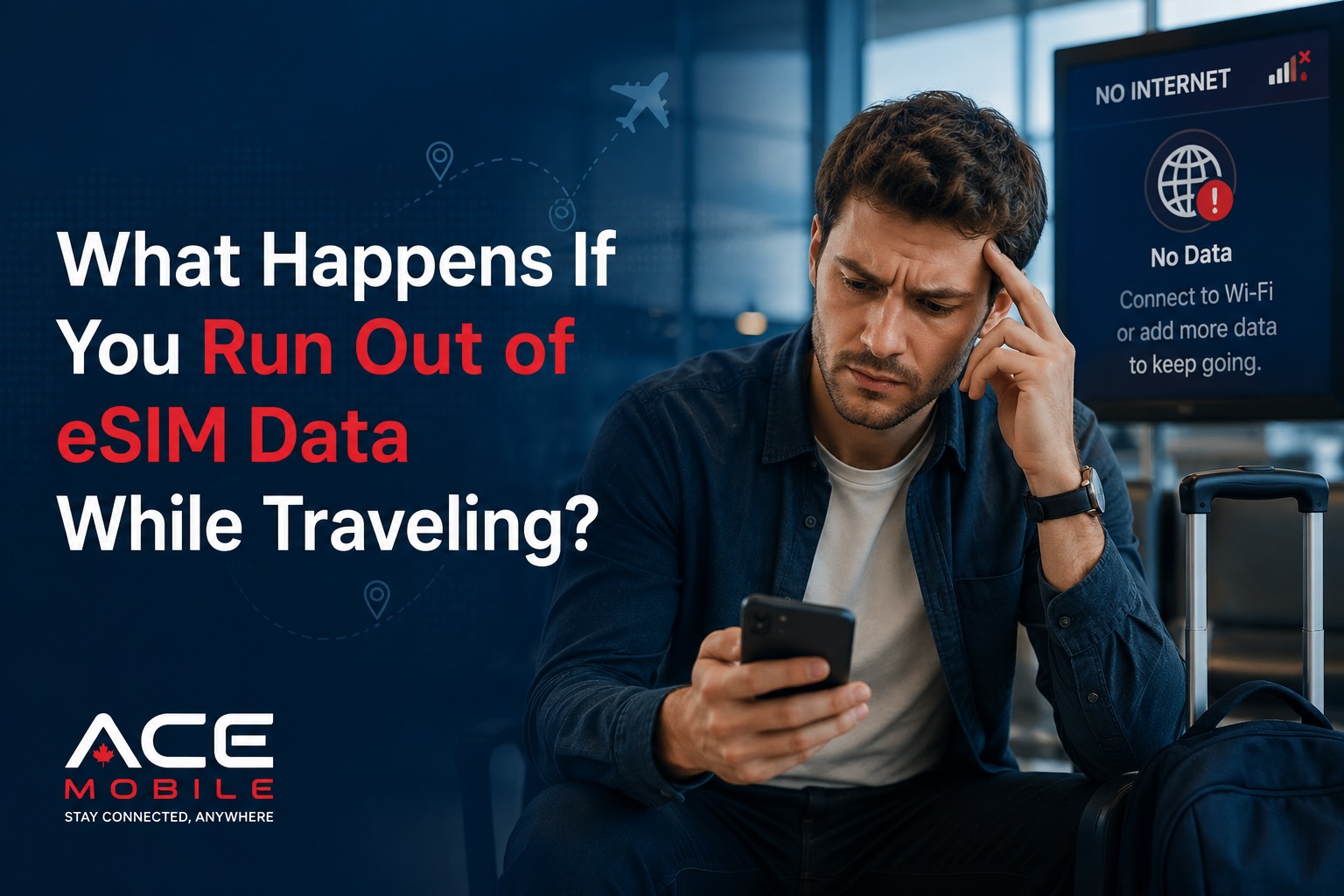
Cuando los datos de tu eSIM de viaje se agotan, tu teléfono normalmente sigue conectado al perfil de la eSIM, pero el servicio de datos se detiene o deja de estar disponible. Puedes ver barras de señal, pero las páginas web, las apps, los mapas, la mensajería y el correo pueden dejar de cargarse a través de esa eSIM.
Según el proveedor y el plan, puede ocurrir una de estas cosas:
| Situación | Lo que puedes notar | Lo que significa |
|---|---|---|
| Datos totalmente usados | Las apps dejan de cargar con datos móviles | Tu plan de eSIM no tiene datos restantes |
| Plan caducado | Los datos se detienen tras el periodo de validez | El plan terminó aunque quedaran datos sin usar |
| Velocidad reducida | Los datos funcionan muy lentos | Algunos planes se ralentizan tras un límite de uso |
| Red desconectada | Sin servicio o sin conexión de datos | El plan puede estar inactivo, caducado o mal configurado |
| Recarga disponible | Puedes añadir más datos | Tu proveedor permite la renovación o recarga |
| Sin opción de recarga | Necesitas un plan nuevo | Algunas eSIM prepago son paquetes de un solo uso |
La experiencia exacta depende del proveedor de eSIM, el destino, las reglas del plan y los ajustes del teléfono.
¿Quedarse sin datos de eSIM borra la eSIM?
No. Quedarse sin datos normalmente no borra el perfil de la eSIM de tu teléfono.
Una eSIM es un perfil SIM digital instalado en tu dispositivo. Tu plan de datos es el servicio prepago asociado a ese perfil. Cuando los datos se agotan, el perfil puede seguir apareciendo en los ajustes de tu teléfono, pero puede dejar de proporcionar acceso a Internet.
Por ejemplo, en un iPhone, puedes seguir viendo la eSIM en Ajustes > Datos móviles. En muchos teléfonos Android, puedes seguir viéndola en SIM, Red móvil o Conexiones. El plan puede seguir visible aunque los datos hayan caducado.
Sin embargo, no deberías borrar la eSIM a menos que tu proveedor te lo indique. Algunos perfiles de eSIM no se pueden reinstalar después de borrarlos, especialmente si se diseñaron para una instalación única.
¿Qué deja de funcionar cuando se agotan los datos de la eSIM?
Cuando tu eSIM de viaje se queda sin datos, todo lo que necesita Internet móvil a través de esa eSIM puede dejar de funcionar.
Esto puede incluir:
- la carga de nuevas rutas en Google Maps o Apple Maps
- el envío de mensajes en WhatsApp, iMessage, WeChat, LINE, Telegram o Messenger
- la sincronización del correo
- apps de transporte como Uber o apps de taxi locales
- apps de aerolíneas y actualizaciones de tarjetas de embarque
- apps de reserva de hoteles
- apps de traducción que necesitan Internet
- el punto de acceso móvil o el tethering
- las búsquedas en el navegador
- las apps de redes sociales
- los pagos en línea que requieren verificación
Algunas apps pueden seguir pareciendo abiertas porque tienen información en caché. Por ejemplo, un mapa puede seguir mostrando una zona que cargaste antes, pero puede no buscar nuevas rutas ni actualizar el tráfico en directo.
¿Qué sigue funcionando sin datos de eSIM?
Aunque tus datos de eSIM se agoten, tu teléfono no queda inservible. Varias funciones pueden seguir funcionando, según tu configuración.
Funciones del teléfono sin conexión
Estas suelen seguir funcionando:
- la cámara
- las notas
- la música o los pódcasts descargados
- los mapas descargados
- las tarjetas de embarque guardadas
- las confirmaciones de hotel guardadas
- los paquetes de traducción sin conexión
- la alarma y el calendario
- las apps que no requieren Internet
Wi-Fi
Aún puedes conectarte al Wi-Fi en aeropuertos, hoteles, cafeterías, estaciones de tren y otros lugares públicos. Una vez conectado al Wi-Fi, las apps basadas en Internet deberían volver a funcionar.
El número de tu SIM principal
Si tu SIM de casa sigue activa, tu número de teléfono habitual puede seguir funcionando para llamadas y SMS, según tu operador, los ajustes de roaming y los cargos. Muchos viajeros usan una eSIM de viaje para los datos mientras mantienen su SIM principal activa para llamadas, mensajes y códigos de verificación.
Ten cuidado: usar tu SIM de casa para datos móviles mientras viajas puede generar cargos de roaming. Comprueba que los datos móviles estén asignados a tu eSIM de viaje, no a tu SIM de casa, a menos que quieras usar el roaming intencionadamente.
¿Seguirán funcionando WhatsApp, iMessage o WeChat?
Apps como WhatsApp, iMessage, WeChat, LINE, Telegram y Messenger necesitan acceso a Internet. Si tus datos de eSIM se agotan, estas apps no funcionarán con los datos móviles de esa eSIM.
Sin embargo, deberían volver a funcionar cuando te conectes al Wi-Fi o cambies a otra fuente de datos activa.
Quedarse sin datos de eSIM de viaje normalmente no cambia tu cuenta de la app de mensajería. Por ejemplo, WhatsApp suele estar vinculado a la cuenta de tu número de teléfono, no al plan de datos de viaje temporal. Mientras la app siga instalada y tengas acceso a Internet por Wi-Fi u otra SIM, normalmente puedes seguir usando la misma cuenta.
¿Podrás seguir recibiendo códigos de verificación por SMS?
Esto depende de qué SIM recibe tus mensajes SMS.
Una eSIM de viaje solo de datos normalmente no proporciona un número de teléfono normal para SMS o llamadas de voz. Si necesitas códigos de verificación por SMS de tu banco, aerolínea o apps, esos códigos suelen ir a tu SIM principal o a tu número de teléfono original.
Si tu SIM principal está activa y puede recibir SMS en el extranjero, podrías seguir recibiendo códigos aunque tu eSIM de viaje no tenga datos. Pero esto depende de tu operador de casa y de los ajustes de roaming.
Antes de viajar, es inteligente:
- mantener tu SIM principal instalada o habilitada si necesitas códigos SMS
- comprobar la política de roaming de SMS internacional de tu operador
- configurar autenticación basada en apps cuando sea posible
- descargar documentos de viaje importantes antes de salir
- evitar depender solo de los SMS para la banca o el acceso urgente
Cómo comprobar si te quedaste sin datos de eSIM
Si tu eSIM deja de funcionar de repente, no asumas que está estropeada. Comprueba primero si el plan de datos está agotado o caducado.
Paso 1: comprueba tu cuenta del proveedor de eSIM
Abre la app, el sitio web o el correo de confirmación de tu proveedor de eSIM. Busca:
- los datos restantes
- las fechas de validez del plan
- el estado de activación
- las opciones de recarga
- la cobertura del destino
- el historial de uso del plan, si está disponible
Si no puedes acceder a la app del proveedor porque no tienes datos, conéctate primero al Wi-Fi.
Paso 2: comprueba los ajustes de datos de tu teléfono
Asegúrate de que tu teléfono usa la SIM correcta para los datos móviles.
En iPhone, comprueba:
- Ajustes > Datos móviles
- Datos celulares configurados en la eSIM de viaje
- Itinerancia de datos activada para la eSIM de viaje si es necesario
- Tu SIM de casa no está seleccionada por accidente para los datos de viaje
En Android, la terminología varía según la marca, pero comprueba:
- Ajustes > Red e Internet o Conexiones
- SIM o Administrador de SIM
- Los datos móviles están asignados a la eSIM de viaje
- El roaming de datos está activado para la eSIM de viaje si es necesario
Paso 3: reinicia tu teléfono
Un reinicio puede ayudar a actualizar la conexión a la red móvil tras una recarga, un cambio de plan o un cambio de red.
Paso 4: activa y desactiva el modo avión
Activa el modo avión durante 20 a 30 segundos y luego desactívalo. Esto obliga a tu teléfono a reconectarse a la red local.
Paso 5: comprueba los ajustes de APN si es necesario
Algunas eSIM requieren un ajuste de APN específico. La mayoría de los planes de eSIM modernos lo configuran automáticamente, pero no siempre. Si tu proveedor da instrucciones de APN, compáralas con los ajustes de tu teléfono.
Qué hacer si te quedas sin datos de eSIM mientras viajas
Estas son las formas más prácticas de volver a conectarte.
Opción 1: recarga tu plan de eSIM actual
Algunos proveedores de eSIM de viaje te permiten añadir más datos a la misma eSIM. Suele ser la opción más fácil porque quizá no necesites instalar una eSIM nueva.
La recarga es útil cuando:
- te gusta tu plan actual
- la cobertura ha sido fiable
- quieres evitar escanear otro código QR
- necesitas datos rápidamente
Antes de recargar, comprueba si los nuevos datos amplían el mismo plan o inician un periodo de validez separado.
Opción 2: compra un nuevo plan de eSIM
Si tu proveedor actual no ofrece recargas, puedes comprar un nuevo plan de eSIM. Esto puede ser necesario para planes prepago de un solo uso.
Antes de comprar, confirma:
- que tu teléfono está desbloqueado
- que tu teléfono es compatible con eSIM
- que el destino tiene cobertura
- que el plan tiene suficientes datos para el resto de tu viaje
- que puedes acceder al Wi-Fi para instalar la nueva eSIM
- que entiendes cuándo se activa el plan
No borres tu eSIM antigua hasta que la nueva esté instalada y funcionando, a menos que tu proveedor te indique específicamente que la retires.
Opción 3: usa el Wi-Fi temporalmente
El Wi-Fi puede ayudarte a reconectarte el tiempo suficiente para recargar, comprar otro plan, escribir a alguien o descargar mapas.
Algunos lugares útiles con Wi-Fi incluyen:
- terminales de aeropuerto
- hoteles
- cafeterías
- bibliotecas
- espacios de coworking
- estaciones de tren
- centros comerciales
Ten cuidado con el Wi-Fi público. Evita operaciones bancarias sensibles o cambios de cuenta a menos que confíes en la red o uses medidas de seguridad adecuadas.
Opción 4: cambia al roaming de tu SIM principal
Esto puede funcionar en una emergencia, pero puede ser caro según tu operador de casa y tu plan.
Antes de cambiar, comprueba:
- los cargos de roaming
- los pases de roaming diarios
- las tarifas de datos de pago por uso
- si el roaming de datos está activado
- si tu teléfono puede usar automáticamente tu SIM de casa para los datos móviles
Esta opción es mejor para situaciones urgentes, no como estrategia de datos de viaje por defecto.
Opción 5: usa el punto de acceso de otro dispositivo
Si alguien de confianza tiene datos móviles, puede compartir un punto de acceso. Esto puede ayudarte a comprar o instalar una nueva eSIM. La disponibilidad del punto de acceso depende de su plan y de los ajustes de su teléfono.
¿Por qué se agotaron mis datos de eSIM tan rápido?
Los usuarios primerizos de eSIM suelen subestimar cuántos datos usan las apps de viaje. Las razones comunes incluyen:
- ver vídeo con datos móviles
- subir fotos y vídeos al almacenamiento en la nube
- la reproducción automática en redes sociales
- las actualizaciones de apps en segundo plano
- la navegación con tráfico en directo
- las videollamadas
- usar tu teléfono como punto de acceso
- descargar mapas sin conexión tras la llegada en lugar de antes del viaje
- reproducir música o pódcasts en streaming en vez de descargarlos
Algunos teléfonos también tienen ajustes que permiten a las apps usar datos móviles en segundo plano. Esto puede consumir datos de forma silenciosa mientras no usas la app activamente.
¿Cuántos datos de eSIM suelen necesitar los viajeros?
La cantidad adecuada depende de tu estilo de viaje. Un usuario ligero puede necesitar datos solo para mapas, mensajería, correo y navegación básica. Un usuario intensivo puede necesitar mucho más para redes sociales, compartir punto de acceso, videollamadas o trabajo remoto.
| Estilo de viaje | Uso típico | Enfoque de planificación sugerido |
|---|---|---|
| Usuario ligero | Mapas, mensajería, correo, apps de transporte | Elige un plan más pequeño y usa Wi-Fi para los medios |
| Usuario moderado | Navegación diaria, redes sociales, GPS | Elige un plan mediano con margen |
| Usuario intensivo | Videollamadas, punto de acceso, subidas, trabajo remoto | Elige un plan más grande o una opción fácil de recargar |
| Familia o grupo | Compartir punto de acceso, varios dispositivos | Considera planes separados o más cantidad de datos |
| Viajero de negocios | Correo, reuniones, documentos en la nube | Prioriza la fiabilidad y datos extra |
Esto no es una regla universal de precios o de uso. Es un marco de planificación. Comprueba siempre tu uso real de datos antes de elegir un plan.
Cómo evitar quedarte sin datos de eSIM
Unos pocos hábitos sencillos pueden hacer que tu eSIM de viaje dure mucho más.
Descarga antes de salir
Antes de tu viaje, descarga:
- mapas sin conexión
- idiomas de traducción
- apps de aerolíneas y tarjetas de embarque
- confirmaciones de hotel
- entretenimiento
- pódcasts o listas de reproducción
- documentos importantes
Desactiva los datos en segundo plano
Limita los datos móviles para las apps que no los necesitan al viajar. La copia de seguridad de fotos en la nube, las actualizaciones de apps y la reproducción automática de vídeo pueden consumir muchos datos.
Usa el Wi-Fi para tareas pesadas
Reserva estas para el Wi-Fi:
- streaming de vídeo
- actualizaciones de apps
- copias de seguridad en la nube
- descargas de archivos grandes
- videollamadas
- subir muchas fotos o vídeos
Controla el uso a diario
Comprueba el uso de datos en los ajustes de tu teléfono o en la app del proveedor. Esto es especialmente útil durante los dos primeros días de tu viaje, porque te ayuda a estimar si tu plan durará.
Compra un poco más de lo que crees que necesitas
Para muchos viajeros, un pequeño margen de datos merece la pena. Quedarte sin datos en el momento equivocado puede ser más incómodo que tener algunos datos sin usar al final.
Solución de problemas: la eSIM tiene datos pero sigue sin funcionar
A veces tu eSIM puede dejar de funcionar incluso cuando todavía te quedan datos. Prueba estas soluciones:
- Confirma que el plan está activo y vigente.
- Asegúrate de que los datos móviles están asignados a la eSIM.
- Activa el roaming de datos para la eSIM de viaje si tu proveedor lo requiere.
- Activa y desactiva el modo avión.
- Reinicia tu teléfono.
- Comprueba si estás en una zona de cobertura.
- Selecciona manualmente una red compatible si tu proveedor lo recomienda.
- Comprueba los ajustes de APN.
- Desactiva la VPN temporalmente para probar la conexión.
- Contacta con tu proveedor de eSIM con capturas de tus ajustes y cualquier mensaje de error.
Si tu eSIM funcionaba antes en el viaje pero se detuvo de repente, las causas más probables son datos agotados, caducidad del plan, problemas de selección de red o cambios en los ajustes del teléfono.
Consejos para usuarios primerizos de eSIM
Si eres nuevo con la eSIM, aquí tienes algunos consejos aptos para principiantes:
- Instala tu eSIM antes de viajar si tu proveedor lo permite.
- No actives el plan demasiado pronto si la validez empieza de inmediato.
- Etiqueta tu eSIM con claridad, como "Datos de viaje".
- Mantén tu SIM principal disponible si necesitas códigos SMS.
- Comprueba que los datos móviles usan la eSIM de viaje tras aterrizar.
- No borres la eSIM a menos que estés seguro de que ya no la necesitas.
- Guarda tu código QR o correo de instalación en un lugar accesible.
- Haz capturas de las instrucciones de configuración antes de tu vuelo.
¿Cuándo deberías contactar con soporte?
Contacta con tu proveedor de eSIM si:
- tu plan muestra datos restantes pero nada se carga
- el pago de la recarga se completó pero los datos no aparecieron
- tu eSIM desapareció de los ajustes del teléfono
- ves un error de activación
- los ajustes manuales de APN o de red no están claros
- tu destino debería tener cobertura pero el teléfono no tiene servicio
- borraste tu eSIM por accidente
Cuando contactes con soporte, incluye:
- tu número de pedido
- el país de destino
- el modelo de teléfono
- capturas de los ajustes de SIM
- los mensajes de error
- si la eSIM funcionaba antes
- la hora aproximada en que comenzó el problema
Esto ayuda a los equipos de soporte a identificar si el problema está relacionado con el plan, el dispositivo o la red.
Cómo ayuda ACE Mobile a los viajeros a seguir conectados
ACE Mobile ofrece planes de eSIM de viaje prepago para viajeros que quieren conectarse antes de aterrizar. Para los usuarios primerizos de eSIM, el beneficio clave es la sencillez: elegir un destino, instalar la eSIM en un teléfono compatible y desbloqueado, y usar datos móviles en el extranjero sin cambiar una tarjeta SIM física.
Antes de elegir cualquier eSIM de viaje, compara la cobertura del destino, el tamaño del plan, la validez, la compatibilidad con el punto de acceso, los pasos de instalación y la disponibilidad de recarga. El mejor plan es el que se ajusta a la duración de tu viaje, tu uso de datos previsto y tu comodidad con la configuración.
Puedes explorar las opciones de eSIM de viaje de ACE Mobile en acemobile.ca.
Preguntas frecuentes
¿Qué pasa cuando se terminan mis datos de eSIM?
Tus datos móviles normalmente dejan de funcionar a través de esa eSIM. El perfil de la eSIM puede seguir en tu teléfono, pero las apps necesitarán Wi-Fi, otra SIM, una recarga o un plan nuevo para reconectarse.
¿Puedo recargar mi eSIM después de que se agote?
A veces. Depende del proveedor de eSIM y del plan. Algunos planes admiten recarga, mientras que otros requieren comprar e instalar un nuevo plan de eSIM.
¿Perderé mi número de teléfono si se agotan los datos de mi eSIM de viaje?
No. Un plan de datos de eSIM de viaje normalmente no reemplaza tu número de teléfono principal. Tu número habitual suele estar ligado a tu SIM de casa o eSIM principal.
¿Debo borrar una eSIM después de que se agote?
No de inmediato. Algunas eSIM no se pueden reinstalar después de borrarlas. Bórrala solo cuando estés seguro de que ya no la necesitas o cuando tu proveedor te indique que la retires.
¿Puedo usar Wi-Fi si se agotan mis datos de eSIM?
Sí. El Wi-Fi funciona de forma independiente de tus datos móviles de eSIM. Puedes usar Wi-Fi para enviar mensajes, navegar, recargar o comprar otro plan de eSIM.
¿Por qué sigo viendo barras de señal si no tengo datos?
Las barras de señal indican que tu teléfono puede estar conectado a una red móvil. No siempre significan que tu plan de datos prepago todavía tenga datos utilizables.
Reflexiones finales
Quedarte sin datos de eSIM mientras viajas es incómodo, pero normalmente tiene solución. Tu teléfono no dejará de funcionar por completo, y tu perfil de eSIM suele permanecer instalado. El problema principal es que el Internet móvil a través de ese plan deja de estar disponible hasta que recargas, compras otro plan, te conectas al Wi-Fi o usas otra fuente de datos.
Para un viaje más fluido, comprueba tu uso, descarga las apps y mapas clave antes de salir, usa el Wi-Fi para las tareas pesadas y elige un plan de eSIM de viaje con suficientes datos para tu estilo de viaje.
Artículos relacionados
- ¿Qué es la eSIM y cómo funciona?
- ¿La eSIM conserva tu número de teléfono?
- Cómo instalar una eSIM antes de viajar
- eSIM frente a SIM física para viajes internacionales
- Planes de eSIM de viaje de ACE Mobile