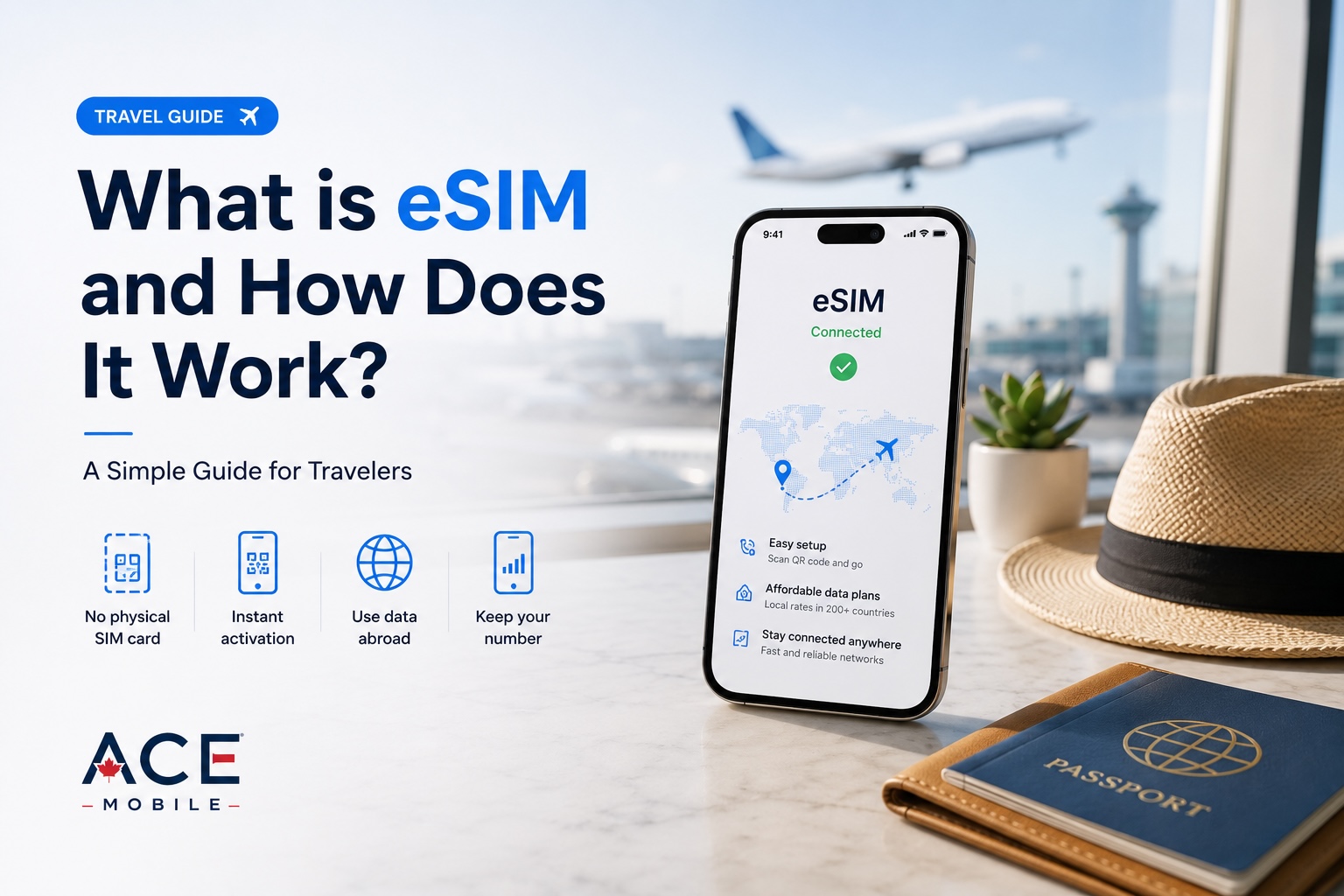
ਕੀ Xiaomi ਫੋਨ eSIM ਦਾ ਸਮਰਥਨ ਕਰਦੇ ਹਨ? ਯਾਤਰੀਆਂ ਨੂੰ ਕੀ ਜਾਂਚਣਾ ਚਾਹੀਦਾ ਹੈ
ਕੁਝ Xiaomi ਫੋਨ eSIM ਦਾ ਸਮਰਥਨ ਕਰਦੇ ਹਨ, ਪਰ ਅਨੁਕੂਲਤਾ ਅਤੇ ਸੈਟਿੰਗਾਂ ਵੱਖਰੀਆਂ ਹੋ ਸਕਦੀਆਂ ਹਨ। ਟ੍ਰੈਵਲ eSIM ਖਰੀਦਣ ਤੋਂ ਪਹਿਲਾਂ ਯਾਤਰੀਆਂ ਨੂੰ ਕੀ ਜਾਂਚਣਾ ਚਾਹੀਦਾ ਹੈ, ਇਹ ਜਾਣੋ।

ਕੀ Xiaomi ਫੋਨ eSIM ਦਾ ਸਮਰਥਨ ਕਰਦੇ ਹਨ? ਯਾਤਰੀਆਂ ਨੂੰ ਕੀ ਜਾਂਚਣਾ ਚਾਹੀਦਾ ਹੈ
ਹਾਂ, ਕੁਝ Xiaomi ਫੋਨ eSIM ਦਾ ਸਮਰਥਨ ਕਰਦੇ ਹਨ, ਪਰ ਸਾਰੇ Xiaomi, Redmi ਜਾਂ POCO ਮਾਡਲ ਅਜਿਹਾ ਨਹੀਂ ਕਰਦੇ। ਅੰਤਰਰਾਸ਼ਟਰੀ ਯਾਤਰੀਆਂ ਲਈ eSIM ਅਨੁਕੂਲਤਾ ਤੁਹਾਡੇ ਸਹੀ ਫੋਨ ਮਾਡਲ, ਖੇਤਰੀ ਵਰਜਨ, ਮੋਬਾਈਲ ਕੈਰੀਅਰ ਅਤੇ ਡਿਵਾਈਸ ਸੈਟਿੰਗਾਂ ਤੇ ਨਿਰਭਰ ਕਰ ਸਕਦੀ ਹੈ।
ਟ੍ਰੈਵਲ eSIM ਖਰੀਦਣ ਤੋਂ ਪਹਿਲਾਂ ਇਹ ਨਾ ਮੰਨੋ ਕਿ ਨਵਾਂ Xiaomi ਫੋਨ ਇਸਦਾ ਸਮਰਥਨ ਕਰੇਗਾ। Xiaomi ਦੇ ਸਹਾਇਤਾ ਪੰਨੇ ਦਿਖਾਉਂਦੇ ਹਨ ਕਿ ਕੁਝ ਨਵੇਂ ਮਾਡਲ eSIM ਦਾ ਸਮਰਥਨ ਕਰਦੇ ਹਨ, ਜਦਕਿ ਹੋਰ ਨਹੀਂ ਕਰਦੇ। Xiaomi ਇਹ ਵੀ ਦੱਸਦਾ ਹੈ ਕਿ eSIM ਉਪਲਬਧਤਾ ਦੇਸ਼, ਖੇਤਰ ਅਤੇ ਕੈਰੀਅਰ ਅਨੁਸਾਰ ਵੱਖਰੀ ਹੋ ਸਕਦੀ ਹੈ।
ਇਹ ਗਾਈਡ ਦੱਸਦੀ ਹੈ ਕਿ ਆਪਣੇ Xiaomi ਫੋਨ ਨੂੰ ਸਹੀ ਤਰ੍ਹਾਂ ਕਿਵੇਂ ਜਾਂਚਣਾ ਹੈ, ਸਮਰਥਿਤ ਹੋਣ ਤੇ ਟ੍ਰੈਵਲ eSIM ਕਿਵੇਂ ਇੰਸਟਾਲ ਕਰਨੀ ਹੈ ਅਤੇ ਯਾਤਰਾ ਤੋਂ ਪਹਿਲਾਂ ਆਮ ਸਮੱਸਿਆਵਾਂ ਨੂੰ ਕਿਵੇਂ ਹੱਲ ਕਰਨਾ ਹੈ।
ਤੁਰੰਤ ਜਵਾਬ: ਕੀ Xiaomi ਫੋਨ eSIM ਦਾ ਸਮਰਥਨ ਕਰਦੇ ਹਨ?
ਕੁਝ ਕਰਦੇ ਹਨ, ਕੁਝ ਨਹੀਂ ਕਰਦੇ।
Xiaomi ਨੇ ਚੁਣਿੰਦੇ ਡਿਵਾਈਸਾਂ ਵਿੱਚ eSIM ਸਹਾਇਤਾ ਜੋੜੀ ਹੈ, ਜਿਨ੍ਹਾਂ ਵਿੱਚ ਕੁਝ Xiaomi ਫਲੈਗਸ਼ਿਪ ਅਤੇ T-ਸੀਰੀਜ਼ ਫੋਨ ਸ਼ਾਮਲ ਹਨ। ਉਦਾਹਰਨ ਲਈ, ਕੁਝ ਨਵੇਂ Xiaomi ਮਾਡਲ eSIM ਦਾ ਸਮਰਥਨ ਕਰਦੇ ਹਨ, ਜਦਕਿ Xiaomi 12 Lite ਵਰਗੇ ਮਾਡਲ ਇਸਦਾ ਸਮਰਥਨ ਨਹੀਂ ਕਰਦੇ।
ਇਸਨੂੰ ਪੂਰੀ ਅਨੁਕੂਲਤਾ ਸੂਚੀ ਨਾ ਮੰਨੋ। ਡਿਵਾਈਸ ਸਹਾਇਤਾ ਇਨ੍ਹਾਂ ਗੱਲਾਂ ਅਨੁਸਾਰ ਵੱਖਰੀ ਹੋ ਸਕਦੀ ਹੈ:
- ਸਹੀ ਮਾਡਲ ਨਾਮ ਅਤੇ ਮਾਡਲ ਨੰਬਰ
- ਉਹ ਦੇਸ਼ ਜਾਂ ਖੇਤਰ ਜਿੱਥੇ ਫੋਨ ਵੇਚਿਆ ਗਿਆ ਸੀ
- ਕੈਰੀਅਰ ਪਾਬੰਦੀਆਂ ਜਾਂ ਡਿਵਾਈਸ ਲੌਕ
- ਇੰਸਟਾਲ ਕੀਤਾ ਸਾਫਟਵੇਅਰ ਵਰਜਨ
- ਸਥਾਨਕ ਨੈੱਟਵਰਕ eSIM ਸਰਗਰਮੀ ਦਾ ਸਮਰਥਨ ਕਰਦਾ ਹੈ ਜਾਂ ਨਹੀਂ
ਸਭ ਤੋਂ ਸੁਰੱਖਿਅਤ ਤਰੀਕਾ ਇਹ ਹੈ ਕਿ ਟ੍ਰੈਵਲ ਪਲਾਨ ਖਰੀਦਣ ਤੋਂ ਪਹਿਲਾਂ ਆਪਣੇ ਖਾਸ ਫੋਨ ਦੀ ਪੁਸ਼ਟੀ ਕਰੋ।
ਯਾਤਰੀਆਂ ਲਈ eSIM ਅਨੁਕੂਲਤਾ ਕਿਉਂ ਮਹੱਤਵਪੂਰਨ ਹੈ
eSIM ਇੱਕ ਡਿਜ਼ਿਟਲ SIM ਪ੍ਰੋਫਾਈਲ ਹੈ ਜੋ ਫਿਜ਼ੀਕਲ ਕਾਰਡ ਪਾਉਣ ਦੀ ਬਜਾਏ ਫੋਨ ਤੇ ਡਾਊਨਲੋਡ ਹੁੰਦੀ ਹੈ। ਇਹ ਤੁਹਾਨੂੰ ਉਤਰਣ ਤੋਂ ਬਾਅਦ SIM ਦੁਕਾਨ ਲੱਭੇ ਬਿਨਾਂ ਸਥਾਨਕ ਮੋਬਾਈਲ ਨੈੱਟਵਰਕ ਨਾਲ ਜੁੜਨ ਦਿੰਦੀ ਹੈ।
ਯਾਤਰੀਆਂ ਲਈ ਅਨੁਕੂਲ Xiaomi ਫੋਨ ਇਹ ਕੰਮ ਸੌਖੇ ਬਣਾ ਸਕਦਾ ਹੈ:
- ਰਵਾਨਗੀ ਤੋਂ ਪਹਿਲਾਂ ਮੋਬਾਈਲ ਡਾਟਾ ਸੈਟ ਕਰਨਾ
- ਕਾਲਾਂ ਜਾਂ SMS ਲਈ ਘਰੇਲੂ ਫਿਜ਼ੀਕਲ SIM ਨੂੰ ਫੋਨ ਵਿੱਚ ਸਰਗਰਮ ਰੱਖਣਾ
- ਵਿਦੇਸ਼ ਵਿੱਚ ਵੱਖਰਾ ਡਾਟਾ ਪਲਾਨ ਵਰਤਣਾ
- ਛੋਟੀਆਂ ਫਿਜ਼ੀਕਲ SIM ਨੂੰ ਬਦਲਣ ਅਤੇ ਸੰਭਾਲਣ ਤੋਂ ਬਚਣਾ
- ਫੋਨ ਸੈਟਿੰਗਾਂ ਰਾਹੀਂ ਮੋਬਾਈਲ ਪ੍ਰੋਫਾਈਲ ਬਦਲਣਾ
eSIM ਤਕਨਾਲੋਜੀ ਕਈ ਕੈਰੀਅਰ ਪ੍ਰੋਫਾਈਲ ਸਟੋਰ ਕਰਨ ਅਤੇ ਦੂਰੋਂ ਬਦਲਣ ਦੀ ਇਜਾਜ਼ਤ ਦਿੰਦੀ ਹੈ, ਹਾਲਾਂਕਿ ਇੱਕ ਸਮੇਂ ਸਰਗਰਮ ਪ੍ਰੋਫਾਈਲਾਂ ਦੀ ਗਿਣਤੀ ਡਿਵਾਈਸ ਤੇ ਨਿਰਭਰ ਕਰਦੀ ਹੈ।
ਇਹ ਲਚਕਤਾ ਤਦੋਂ ਹੀ ਉਪਯੋਗੀ ਹੈ ਜਦੋਂ ਤੁਹਾਡਾ Xiaomi ਡਿਵਾਈਸ eSIM ਦਾ ਸਮਰਥਨ ਕਰਦਾ ਹੋਵੇ ਅਤੇ ਮੰਜ਼ਿਲ ਨੈੱਟਵਰਕ ਨਾਲ ਅਨੁਕੂਲ ਹੋਵੇ।
eSIM ਖਰੀਦਣ ਤੋਂ ਪਹਿਲਾਂ Xiaomi ਯਾਤਰੀਆਂ ਨੂੰ ਕੀ ਜਾਂਚਣਾ ਚਾਹੀਦਾ ਹੈ
ਕਿਸੇ ਵੀ ਟ੍ਰੈਵਲ eSIM ਨੂੰ ਖਰੀਦਣ ਤੋਂ ਪਹਿਲਾਂ ਇਹ ਚੈਕਲਿਸਟ ਵਰਤੋ।
| ਜਾਂਚ | ਇਹ ਕਿਉਂ ਮਹੱਤਵਪੂਰਨ ਹੈ | ਕੀ ਵੇਖਣਾ ਹੈ |
|---|---|---|
| ਸਹੀ Xiaomi ਮਾਡਲ | ਮਿਲਦੇ-ਜੁਲਦੇ ਮਾਡਲ ਨਾਮਾਂ ਵਿੱਚ ਵੱਖਰਾ ਹਾਰਡਵੇਅਰ ਹੋ ਸਕਦਾ ਹੈ | ਪੂਰਾ ਡਿਵਾਈਸ ਨਾਮ ਅਤੇ ਮਾਡਲ ਨੰਬਰ |
| ਖੇਤਰੀ ਵਰਜਨ | eSIM ਉਪਲਬਧਤਾ ਵਿਕਰੀ ਖੇਤਰ ਅਨੁਸਾਰ ਬਦਲ ਸਕਦੀ ਹੈ | ਆਪਣੇ ਬਾਜ਼ਾਰ ਲਈ Xiaomi ਦੀਆਂ ਅਧਿਕਾਰਤ ਵਿਸ਼ੇਸ਼ਤਾਵਾਂ |
| eSIM ਸੈਟਿੰਗਾਂ | ਸਮਰਥਿਤ ਡਿਵਾਈਸ ਵਿੱਚ eSIM ਕੰਟਰੋਲ ਦਿਖਣੇ ਚਾਹੀਦੇ ਹਨ | “Turn on eSIM”, “Manage eSIM” ਜਾਂ “Add eSIM” |
| ਕੈਰੀਅਰ ਲੌਕ | ਲੌਕ ਫੋਨ ਕਿਸੇ ਹੋਰ ਪ੍ਰਦਾਤਾ ਦੀ eSIM ਨੂੰ ਅਸਵੀਕਾਰ ਕਰ ਸਕਦਾ ਹੈ | ਪੁਸ਼ਟੀ ਕਿ ਫੋਨ ਅਨਲੌਕ ਹੈ |
| ਮੰਜ਼ਿਲ ਨੈੱਟਵਰਕ ਬੈਂਡ | eSIM ਗਾਇਬ ਸੈਲੁਲਰ ਬੈਂਡ ਨਹੀਂ ਜੋੜਦੀ | ਤੁਹਾਡੀ ਮੰਜ਼ਿਲ ਲਈ ਸਮਰਥਿਤ 4G ਅਤੇ 5G ਬੈਂਡ |
| ਪਲਾਨ ਕਿਸਮ | ਬਹੁਤ ਸਾਰੀਆਂ ਟ੍ਰੈਵਲ eSIM ਸਿਰਫ਼ ਡਾਟਾ ਵਾਲੀਆਂ ਹੁੰਦੀਆਂ ਹਨ | ਡਾਟਾ ਅਲਾਊਅੰਸ, ਹਾਟਸਪਾਟ ਨੀਤੀ, ਕਾਲਾਂ, SMS ਅਤੇ ਵੈਧਤਾ |
| ਸਰਗਰਮੀ ਸਮਾਂ | ਕੁਝ ਪਲਾਨ ਇੰਸਟਾਲ ਜਾਂ ਕਨੈਕਟ ਹੋਣ ਤੇ ਸ਼ੁਰੂ ਹੁੰਦੇ ਹਨ | QR code ਸਕੈਨ ਕਰਨ ਤੋਂ ਪਹਿਲਾਂ ਪ੍ਰਦਾਤਾ ਹਦਾਇਤਾਂ |
1. ਸਿਰਫ਼ “Xiaomi” ਨਹੀਂ, ਆਪਣਾ ਸਹੀ ਮਾਡਲ ਪੁਸ਼ਟੀ ਕਰੋ
ਆਪਣੇ ਫੋਨ ਦੇ ਪੂਰੇ ਮਾਡਲ ਨਾਮ ਤੋਂ ਸ਼ੁਰੂ ਕਰੋ।
ਇੱਥੇ ਜਾਓ:
Settings → About phone
ਪੂਰਾ ਡਿਵਾਈਸ ਨਾਮ, ਸਟੋਰੇਜ ਵੈਰੀਐਂਟ ਅਤੇ ਮਾਡਲ ਨੰਬਰ ਵੇਖੋ। ਇਹ ਫੋਨ ਨੂੰ ਇਸਦੀ ਦਿੱਖ ਜਾਂ ਰਿਟੇਲਰ ਲਿਸਟਿੰਗ ਤੋਂ ਪਛਾਣਨ ਨਾਲੋਂ ਵੱਧ ਭਰੋਸੇਯੋਗ ਹੈ।
ਉਦਾਹਰਨ ਲਈ, “Xiaomi 15”, “Xiaomi 15 Ultra”, “Xiaomi 14T Pro” ਅਤੇ “REDMI Note 14 Pro+ 5G” ਵੱਖਰੇ ਡਿਵਾਈਸ ਹਨ ਜਿਨ੍ਹਾਂ ਦੀਆਂ ਵਿਸ਼ੇਸ਼ਤਾਵਾਂ ਵੱਖਰੀਆਂ ਹਨ। ਇੱਕ ਫੋਨ ਤੇ eSIM ਸਹਾਇਤਾ ਹੋਣ ਦਾ ਮਤਲਬ ਨਹੀਂ ਕਿ ਉਸੇ ਪਰਿਵਾਰ ਦਾ ਹਰ ਮਾਡਲ ਇਸਦਾ ਸਮਰਥਨ ਕਰਦਾ ਹੈ।
2. Xiaomi ਦਾ ਅਧਿਕਾਰਤ eSIM ਅਨੁਕੂਲਤਾ ਪੰਨਾ ਵੇਖੋ
Xiaomi ਇੱਕ ਅਧਿਕਾਰਤ eSIM ਸਹਾਇਤਾ ਪੰਨਾ ਰੱਖਦਾ ਹੈ ਜਿਸ ਵਿੱਚ ਲਾਗੂ ਡਿਵਾਈਸ ਅਤੇ ਕੈਰੀਅਰ ਉਪਲਬਧਤਾ ਦਰਜ ਹੁੰਦੀ ਹੈ।
ਆਪਣਾ ਸਹੀ ਮਾਡਲ ਖੋਜੋ, ਫਿਰ ਉਸਦੀ ਤੁਲਨਾ ਉਸ ਦੇਸ਼ ਦੀਆਂ ਵਿਸ਼ੇਸ਼ਤਾਵਾਂ ਨਾਲ ਕਰੋ ਜਿੱਥੇ ਤੁਸੀਂ ਫੋਨ ਖਰੀਦਿਆ ਸੀ।
ਇਹ ਮਹੱਤਵਪੂਰਨ ਹੈ ਕਿਉਂਕਿ eSIM ਉਪਲਬਧਤਾ ਦੇਸ਼, ਖੇਤਰ ਅਤੇ ਕੈਰੀਅਰ ਅਨੁਸਾਰ ਬਦਲ ਸਕਦੀ ਹੈ। ਇੱਕ ਬਾਜ਼ਾਰ ਵਿੱਚ ਵੇਚੇ ਗਏ ਫੋਨ ਵਿੱਚ ਦੂਜੇ ਬਾਜ਼ਾਰ ਦੇ ਵਰਜਨ ਵਰਗੀਆਂ eSIM ਵਿਸ਼ੇਸ਼ਤਾਵਾਂ ਨਹੀਂ ਹੋ ਸਕਦੀਆਂ।
3. ਆਪਣੇ ਫੋਨ ਤੇ eSIM ਸੈਟਿੰਗਾਂ ਵੇਖੋ
eSIM ਦਾ ਸਮਰਥਨ ਕਰਨ ਵਾਲੇ Xiaomi ਫੋਨ ਵਿੱਚ ਸੈਟਿੰਗ ਪਾਥ ਇਸ ਤਰ੍ਹਾਂ ਹੋ ਸਕਦਾ ਹੈ:
- Settings ਖੋਲ੍ਹੋ
- Mobile networks ਤੇ ਟੈਪ ਕਰੋ
- Use eSIM ਜਾਂ Turn on eSIM ਚਾਲੂ ਕਰੋ
- Manage eSIM ਤੇ ਟੈਪ ਕਰੋ
- Add eSIM ਚੁਣੋ
- ਆਪਣੇ ਕੈਰੀਅਰ ਜਾਂ ਟ੍ਰੈਵਲ eSIM ਪ੍ਰਦਾਤਾ ਦਾ ਦਿੱਤਾ QR code ਸਕੈਨ ਕਰੋ
ਮੇਨੂ ਨਾਮ ਤੁਹਾਡੇ HyperOS ਜਾਂ MIUI ਵਰਜਨ ਅਨੁਸਾਰ ਬਦਲ ਸਕਦੇ ਹਨ।
ਜੇ Settings ਵਿੱਚ ਖੋਜ ਕਰਨ ਉੱਤੇ eSIM-ਸੰਬੰਧਿਤ ਸੈਟਿੰਗਾਂ ਨਹੀਂ ਮਿਲਦੀਆਂ, ਤਾਂ ਤੁਹਾਡਾ ਫੋਨ eSIM ਦਾ ਸਮਰਥਨ ਨਹੀਂ ਕਰਦਾ ਹੋ ਸਕਦਾ ਜਾਂ ਇਹ ਫੀਚਰ ਤੁਹਾਡੇ ਮੌਜੂਦਾ ਖੇਤਰੀ ਸਾਫਟਵੇਅਰ ਵਰਜਨ ਵਿੱਚ ਉਪਲਬਧ ਨਹੀਂ ਹੋ ਸਕਦਾ।
4. ਪੁਸ਼ਟੀ ਕਰੋ ਕਿ ਫੋਨ ਅਨਲੌਕ ਹੈ
eSIM-ਅਨੁਕੂਲ ਫੋਨ ਵੀ ਕੈਰੀਅਰ-ਲੌਕ ਹੋਣ ਉੱਤੇ ਸਮੱਸਿਆਵਾਂ ਪੈਦਾ ਕਰ ਸਕਦਾ ਹੈ।
ਜੇ ਤੁਸੀਂ Xiaomi ਫੋਨ ਮੋਬਾਈਲ ਆਪਰੇਟਰ ਤੋਂ ਖਰੀਦਿਆ ਹੈ, ਤਾਂ ਪੁੱਛੋ ਕਿ ਕੀ ਇਹ ਹੋਰ SIM ਅਤੇ eSIM ਪ੍ਰਦਾਤਾਵਾਂ ਲਈ ਅਨਲੌਕ ਹੈ। ਲੌਕ ਡਿਵਾਈਸ ਉੱਤੇ ਟ੍ਰੈਵਲ eSIM ਸਹੀ ਤਰ੍ਹਾਂ ਸਰਗਰਮ ਨਹੀਂ ਹੋ ਸਕਦੀ।
ਅਨਲੌਕ ਫੋਨ ਆਮ ਤੌਰ ਤੇ ਅੰਤਰਰਾਸ਼ਟਰੀ ਯਾਤਰਾ ਲਈ ਸਭ ਤੋਂ ਸੁਰੱਖਿਅਤ ਵਿਕਲਪ ਹੈ ਕਿਉਂਕਿ ਤੁਸੀਂ ਮੰਜ਼ਿਲ eSIM ਵਰਤ ਸਕਦੇ ਹੋ ਅਤੇ ਘਰੇਲੂ SIM ਨੂੰ ਅਕਾਊਂਟ ਤਸਦੀਕ, ਕਾਲਾਂ ਜਾਂ SMS ਲਈ ਉਪਲਬਧ ਰੱਖ ਸਕਦੇ ਹੋ।
5. ਆਪਣੀ ਮੰਜ਼ਿਲ ਲਈ ਨੈੱਟਵਰਕ ਬੈਂਡ ਜਾਂਚੋ
eSIM ਸਹਾਇਤਾ ਅਤੇ ਨੈੱਟਵਰਕ ਅਨੁਕੂਲਤਾ ਵੱਖਰੀਆਂ ਗੱਲਾਂ ਹਨ।
ਫੋਨ ਸਫਲਤਾਪੂਰਵਕ eSIM ਇੰਸਟਾਲ ਕਰ ਸਕਦਾ ਹੈ ਪਰ ਫਿਰ ਵੀ ਸੀਮਿਤ ਸੇਵਾ ਦੇ ਸਕਦਾ ਹੈ ਜੇ ਉਹ ਮੰਜ਼ਿਲ ਕੈਰੀਅਰ ਦੇ ਮੁੱਖ 4G ਜਾਂ 5G ਬੈਂਡਾਂ ਦਾ ਸਮਰਥਨ ਨਹੀਂ ਕਰਦਾ। ਕਿਸੇ ਹੋਰ ਖੇਤਰ ਵਿੱਚ ਖਰੀਦੇ ਗਏ ਫੋਨ ਨਾਲ ਯਾਤਰਾ ਕਰਦੇ ਸਮੇਂ ਇਹ ਖਾਸ ਤੌਰ ਤੇ ਜਾਂਚਣ ਯੋਗ ਹੈ।
ਯਾਤਰਾ ਤੋਂ ਪਹਿਲਾਂ ਤੁਲਨਾ ਕਰੋ:
- ਤੁਹਾਡੇ Xiaomi ਮਾਡਲ ਦੁਆਰਾ ਸਮਰਥਿਤ LTE ਅਤੇ 5G ਬੈਂਡ
- ਮੰਜ਼ਿਲ ਨੈੱਟਵਰਕ ਦੇ ਪ੍ਰਮੁੱਖ ਬੈਂਡ
- ਕੀ ਤੁਹਾਡਾ ਟ੍ਰੈਵਲ eSIM ਪ੍ਰਦਾਤਾ ਤੁਹਾਡੇ ਡਿਵਾਈਸ ਦੇ ਅਨੁਕੂਲ ਨੈੱਟਵਰਕ ਵਰਤਦਾ ਹੈ
ਜ਼ਿਆਦਾਤਰ ਯਾਤਰੀਆਂ ਲਈ ਮਜ਼ਬੂਤ 4G ਸਹਾਇਤਾ, 5G ਦੇ ਪਿੱਛੇ ਭੱਜਣ ਨਾਲੋਂ ਵੱਧ ਮਹੱਤਵਪੂਰਨ ਹੈ। ਨਕਸ਼ਿਆਂ, ਰਾਈਡਸ਼ੇਅਰ, ਸੁਨੇਹਿਆਂ ਅਤੇ ਬੁਕਿੰਗ ਲਈ ਭਰੋਸੇਯੋਗ ਡਾਟਾ, 5G ਆਈਕਨ ਨਾਲੋਂ ਵੱਧ ਮਹੱਤਵਪੂਰਨ ਹੈ।
ਕੀ ਤੁਸੀਂ Xiaomi ਤੇ ਫਿਜ਼ੀਕਲ SIM ਅਤੇ eSIM ਇਕੱਠੇ ਵਰਤ ਸਕਦੇ ਹੋ?
ਇਹ ਮਾਡਲ ਤੇ ਨਿਰਭਰ ਕਰਦਾ ਹੈ।
ਕੁਝ Xiaomi ਫੋਨ ਇਨ੍ਹਾਂ ਸੰਯੋਜਨਾਂ ਦਾ ਸਮਰਥਨ ਕਰਦੇ ਹਨ:
- ਇੱਕ ਫਿਜ਼ੀਕਲ nano-SIM ਅਤੇ ਇੱਕ eSIM
- ਦੋ eSIM ਪ੍ਰੋਫਾਈਲ
- ਦੋ ਫਿਜ਼ੀਕਲ nano-SIM
ਇਹ ਉਹਨਾਂ ਯਾਤਰੀਆਂ ਲਈ ਲਾਭਦਾਇਕ ਹੋ ਸਕਦਾ ਹੈ ਜੋ:
- SMS ਤਸਦੀਕ ਲਈ ਆਪਣੀ ਘਰੇਲੂ ਫਿਜ਼ੀਕਲ SIM ਸਰਗਰਮ ਰੱਖਣਾ ਚਾਹੁੰਦੇ ਹਨ
- ਮੋਬਾਈਲ ਡਾਟੇ ਲਈ ਟ੍ਰੈਵਲ eSIM ਵਰਤਣਾ ਚਾਹੁੰਦੇ ਹਨ
- ਘਰੇਲੂ ਲਾਈਨ ਦੀ ਮਹਿੰਗੀ ਡਾਟਾ ਰੋਮਿੰਗ ਬੰਦ ਕਰਨਾ ਚਾਹੁੰਦੇ ਹਨ
- ਟ੍ਰੈਵਲ eSIM ਨੂੰ ਡਿਫੌਲਟ ਡਾਟਾ ਲਾਈਨ ਬਣਾਉਣਾ ਚਾਹੁੰਦੇ ਹਨ
ਰਵਾਨਗੀ ਤੋਂ ਪਹਿਲਾਂ ਆਪਣੇ ਫੋਨ ਦੀਆਂ SIM ਸੈਟਿੰਗਾਂ ਵੇਖੋ ਅਤੇ ਯਕੀਨੀ ਬਣਾਓ ਕਿ ਘਰੇਲੂ ਲਾਈਨ ਮੋਬਾਈਲ ਡਾਟੇ ਲਈ ਚੁਣੀ ਨਾ ਹੋਵੇ।
ਅਨੁਕੂਲ Xiaomi ਫੋਨ ਤੇ ਟ੍ਰੈਵਲ eSIM ਕਿਵੇਂ ਇੰਸਟਾਲ ਕਰਨੀ ਹੈ
ਅਨੁਕੂਲਤਾ ਦੀ ਪੁਸ਼ਟੀ ਕਰਨ ਤੋਂ ਬਾਅਦ, ਭਰੋਸੇਯੋਗ Wi-Fi ਹੁੰਦੇ ਸਮੇਂ eSIM ਇੰਸਟਾਲ ਕਰੋ।
ਕਦਮ 1: ਅਨੁਕੂਲ ਟ੍ਰੈਵਲ eSIM ਖਰੀਦੋ
ਅਜਿਹਾ ਪਲਾਨ ਚੁਣੋ ਜੋ ਤੁਹਾਡੀ ਮੰਜ਼ਿਲ ਅਤੇ ਯਾਤਰਾ ਮਿਆਦ ਨੂੰ ਕਵਰ ਕਰਦਾ ਹੋਵੇ। ਇਨ੍ਹਾਂ ਗੱਲਾਂ ਦੀ ਸਮੀਖਿਆ ਕਰੋ:
- ਮੰਜ਼ਿਲ ਕਵਰੇਜ
- ਡਾਟਾ ਅਲਾਊਅੰਸ
- ਵੈਧਤਾ ਮਿਆਦ
- ਹਾਟਸਪਾਟ ਉਪਲਬਧਤਾ
- ਪਲਾਨ ਸਿਰਫ਼ ਡਾਟਾ ਵਾਲਾ ਹੈ ਜਾਂ ਨਹੀਂ
- ਸਰਗਰਮੀ ਹਦਾਇਤਾਂ
- QR code ਸਿਰਫ਼ ਇੱਕ ਵਾਰ ਵਰਤਿਆ ਜਾ ਸਕਦਾ ਹੈ ਜਾਂ ਨਹੀਂ
ACE Mobile ਉਹਨਾਂ ਯਾਤਰੀਆਂ ਲਈ ਪ੍ਰੀਪੇਡ ਟ੍ਰੈਵਲ eSIM ਪਲਾਨ ਪੇਸ਼ ਕਰਦਾ ਹੈ ਜੋ ਪਹੁੰਚਣ ਤੋਂ ਪਹਿਲਾਂ ਮੋਬਾਈਲ ਡਾਟੇ ਦੀ ਵਿਵਸਥਾ ਕਰਨਾ ਚਾਹੁੰਦੇ ਹਨ। ਖਰੀਦਣ ਤੋਂ ਪਹਿਲਾਂ ਹਮੇਸ਼ਾਂ ਪਲਾਨ ਦੀ ਮੰਜ਼ਿਲ ਕਵਰੇਜ ਅਤੇ ਇੰਸਟਾਲੇਸ਼ਨ ਹਦਾਇਤਾਂ ਜਾਂਚੋ।
ਕਦਮ 2: QR code ਅਤੇ ਹਦਾਇਤਾਂ ਸੇਵ ਕਰੋ
QR code, ਸਰਗਰਮੀ ਕੋਡ ਅਤੇ ਪ੍ਰਦਾਤਾ ਹਦਾਇਤਾਂ ਕਿਸੇ ਹੋਰ ਡਿਵਾਈਸ ਜਾਂ ਸੁਰੱਖਿਅਤ ਥਾਂ ਤੇ ਉਪਲਬਧ ਰੱਖੋ।
eSIM ਇੰਸਟਾਲ ਕਰਨ ਲਈ ਤੁਹਾਨੂੰ Wi-Fi ਦੀ ਲੋੜ ਹੋ ਸਕਦੀ ਹੈ। ਜੇ QR code ਤੁਹਾਡੇ Xiaomi ਫੋਨ ਤੇ ਦਿਖ ਰਿਹਾ ਹੈ, ਤਾਂ ਇਸਨੂੰ ਲੈਪਟਾਪ, ਟੈਬਲੇਟ ਜਾਂ ਦੂਜੇ ਫੋਨ ਤੇ ਖੋਲ੍ਹੋ ਤਾਂ ਜੋ ਤੁਸੀਂ ਇਸਨੂੰ ਸਕੈਨ ਕਰ ਸਕੋ।
ਕਦਮ 3: eSIM ਸ਼ਾਮਲ ਕਰੋ
ਅਨੁਕੂਲ Xiaomi ਫੋਨ ਤੇ:
- Settings ਖੋਲ੍ਹੋ
- Mobile networks ਤੇ ਟੈਪ ਕਰੋ
- Turn on eSIM ਚੁਣੋ
- Manage eSIM ਤੇ ਟੈਪ ਕਰੋ
- Add eSIM ਚੁਣੋ
- QR code ਸਕੈਨ ਕਰੋ
- ਪਲਾਨ ਸ਼ਾਮਲ ਕਰਨ ਲਈ ਹਦਾਇਤਾਂ ਦੀ ਪਾਲਣਾ ਕਰੋ
eSIM ਇੰਸਟਾਲੇਸ਼ਨ ਵਿੱਚ ਆਮ ਤੌਰ ਤੇ ਕੈਰੀਅਰ ਦੁਆਰਾ ਦਿੱਤਾ QR code ਸਕੈਨ ਕਰਨਾ ਜਾਂ ਸਰਗਰਮੀ ਵੇਰਵੇ ਹੱਥੋਂ ਦਰਜ ਕਰਨਾ ਸ਼ਾਮਲ ਹੁੰਦਾ ਹੈ।
ਕਦਮ 4: ਟ੍ਰੈਵਲ eSIM ਨੂੰ ਡਾਟਾ ਲਾਈਨ ਵਜੋਂ ਸੈਟ ਕਰੋ
ਇੰਸਟਾਲੇਸ਼ਨ ਤੋਂ ਬਾਅਦ:
- ਨਵੀਂ eSIM ਚਾਲੂ ਕਰੋ
- ਇਸਨੂੰ ਆਪਣੀ ਪਸੰਦੀਦਾ ਮੋਬਾਈਲ ਡਾਟਾ SIM ਚੁਣੋ
- ਲੋੜ ਹੋਵੇ ਤਾਂ ਘਰੇਲੂ SIM ਨੂੰ ਕਾਲਾਂ ਅਤੇ SMS ਲਈ ਉਪਲਬਧ ਰੱਖੋ
- ਅਣਉਮੀਦ ਰੋਮਿੰਗ ਖਰਚਿਆਂ ਤੋਂ ਬਚਣ ਲਈ ਘਰੇਲੂ SIM ਤੇ ਡਾਟਾ ਰੋਮਿੰਗ ਬੰਦ ਕਰੋ
- ਟ੍ਰੈਵਲ eSIM ਤੇ ਡਾਟਾ ਰੋਮਿੰਗ ਕੇਵਲ ਤਦੋਂ ਚਾਲੂ ਕਰੋ ਜਦੋਂ ਤੁਹਾਡੇ ਪ੍ਰਦਾਤਾ ਦੀਆਂ ਹਦਾਇਤਾਂ ਇਸਦੀ ਲੋੜ ਦੱਸਣ
ਬਹੁਤ ਸਾਰੀਆਂ ਟ੍ਰੈਵਲ eSIM ਭਾਗੀਦਾਰ ਨੈੱਟਵਰਕ ਵਰਤਦੀਆਂ ਹਨ ਅਤੇ ਟ੍ਰੈਵਲ ਲਾਈਨ ਉੱਤੇ ਡਾਟਾ ਰੋਮਿੰਗ ਚਾਲੂ ਰੱਖਣ ਦੀ ਲੋੜ ਹੁੰਦੀ ਹੈ। ਸੈਟਿੰਗਾਂ ਨੂੰ ਬੇਤਰਤੀਬ ਢੰਗ ਨਾਲ ਬਦਲਣ ਦੀ ਬਜਾਏ ਆਪਣੇ eSIM ਪ੍ਰਦਾਤਾ ਦੀਆਂ ਹਦਾਇਤਾਂ ਦੀ ਪਾਲਣਾ ਕਰੋ।
ਯਾਤਰੀਆਂ ਲਈ Xiaomi eSIM ਸਮੱਸਿਆ-ਹੱਲ
ਸਮੱਸਿਆ: “Add eSIM” ਵਿਕਲਪ ਨਹੀਂ ਹੈ
ਸੰਭਾਵੀ ਕਾਰਨਾਂ ਵਿੱਚ ਸ਼ਾਮਲ ਹਨ:
- ਤੁਹਾਡਾ Xiaomi ਮਾਡਲ eSIM ਦਾ ਸਮਰਥਨ ਨਹੀਂ ਕਰਦਾ
- ਤੁਹਾਡਾ ਖੇਤਰੀ ਵਰਜਨ eSIM ਪੇਸ਼ ਨਹੀਂ ਕਰਦਾ
- ਤੁਹਾਡਾ ਸਾਫਟਵੇਅਰ ਅੱਪਡੇਟ ਨਹੀਂ ਹੈ
- ਤੁਸੀਂ ਸੈਟਿੰਗਾਂ ਦੇ ਕਿਸੇ ਹੋਰ ਖੇਤਰ ਵਿੱਚ ਵੇਖ ਰਹੇ ਹੋ
- ਫੋਨ ਕਿਸੇ ਕਾਰੋਬਾਰੀ ਜਾਂ ਕੈਰੀਅਰ ਨੀਤੀ ਅਧੀਨ ਨਿਯੰਤਰਿਤ ਹੈ
Settings ਵਿੱਚ “eSIM” ਖੋਜਣ ਦੀ ਕੋਸ਼ਿਸ਼ ਕਰੋ। ਜੇ ਕੁਝ ਵੀ ਨਹੀਂ ਦਿਖਦਾ, ਤਾਂ ਹੋਰ ਪਲਾਨ ਖਰੀਦਣ ਤੋਂ ਪਹਿਲਾਂ Xiaomi ਦੇ ਅਧਿਕਾਰਤ ਅਨੁਕੂਲਤਾ ਪੰਨੇ ਤੇ ਆਪਣਾ ਸਹੀ ਮਾਡਲ ਜਾਂਚੋ।
ਸਮੱਸਿਆ: QR code ਸਕੈਨ ਨਹੀਂ ਹੁੰਦਾ
ਇਹ ਕਦਮ ਅਜ਼ਮਾਓ:
- ਸਥਿਰ Wi-Fi ਨਾਲ ਕਨੈਕਟ ਕਰੋ
- QR code ਦਿਖਾਉਣ ਵਾਲੇ ਡਿਵਾਈਸ ਦੀ ਸਕ੍ਰੀਨ ਚਮਕ ਵਧਾਓ
- ਯਕੀਨੀ ਬਣਾਓ ਕਿ QR code ਕੱਟਿਆ ਹੋਇਆ ਜਾਂ ਧੁੰਦਲਾ ਨਹੀਂ ਹੈ
- ਜੇ ਪ੍ਰਦਾਤਾ ਨੇ ਦਿੱਤੇ ਹੋਣ, ਤਾਂ ਮੈਨੁਅਲ ਸਰਗਰਮੀ ਵੇਰਵੇ ਵਰਤੋ
- ਪੁਸ਼ਟੀ ਕਰੋ ਕਿ QR code ਪਹਿਲਾਂ ਤੋਂ ਵਰਤਿਆ ਨਹੀਂ ਗਿਆ
- ਫੋਨ ਰੀਸਟਾਰਟ ਕਰਕੇ ਮੁੜ ਕੋਸ਼ਿਸ਼ ਕਰੋ
ਜਦ ਤੱਕ ਤੁਹਾਡਾ ਪ੍ਰਦਾਤਾ ਪੁਸ਼ਟੀ ਨਾ ਕਰੇ ਕਿ ਸਰਗਰਮੀ ਕੋਡ ਦੁਬਾਰਾ ਵਰਤਿਆ ਜਾ ਸਕਦਾ ਹੈ, eSIM ਨੂੰ ਵਾਰ-ਵਾਰ ਮਿਟਾ ਕੇ ਮੁੜ ਇੰਸਟਾਲ ਨਾ ਕਰੋ।
ਸਮੱਸਿਆ: eSIM ਇੰਸਟਾਲ ਹੋ ਜਾਂਦੀ ਹੈ ਪਰ ਡਾਟਾ ਨਹੀਂ ਹੈ
ਇਨ੍ਹਾਂ ਗੱਲਾਂ ਦੀ ਜਾਂਚ ਕਰੋ:
- ਕੀ eSIM ਚਾਲੂ ਹੈ?
- ਕੀ ਇਹ ਮੋਬਾਈਲ ਡਾਟਾ SIM ਵਜੋਂ ਚੁਣੀ ਗਈ ਹੈ?
- ਕੀ ਮੋਬਾਈਲ ਡਾਟਾ ਚਾਲੂ ਹੈ?
- ਕੀ ਤੁਹਾਡਾ ਪ੍ਰਦਾਤਾ ਟ੍ਰੈਵਲ eSIM ਤੇ ਡਾਟਾ ਰੋਮਿੰਗ ਦੀ ਮੰਗ ਕਰਦਾ ਹੈ?
- ਕੀ ਤੁਸੀਂ ਪਲਾਨ ਦੇ ਕਵਰੇਜ ਖੇਤਰ ਵਿੱਚ ਪਹੁੰਚ ਗਏ ਹੋ?
- ਕੀ ਨੈੱਟਵਰਕ ਚੋਣ ਆਟੋਮੈਟਿਕ ਤੇ ਸੈਟ ਹੈ?
- ਕੀ ਪ੍ਰਦਾਤਾ ਨੇ ਤੁਹਾਨੂੰ ਲਾਜ਼ਮੀ APN ਸੈਟਿੰਗ ਦਿੱਤੀ ਹੈ?
ਏਅਰਪਲੇਨ ਮੋਡ ਨੂੰ ਤੇਜ਼ੀ ਨਾਲ ਟੌਗਲ ਕਰਨਾ ਜਾਂ ਫੋਨ ਰੀਸਟਾਰਟ ਕਰਨਾ ਡਿਵਾਈਸ ਨੂੰ ਸਥਾਨਕ ਨੈੱਟਵਰਕ ਨਾਲ ਮੁੜ ਜੁੜਨ ਵਿੱਚ ਮਦਦ ਕਰ ਸਕਦਾ ਹੈ。
ਸਮੱਸਿਆ: ਤੁਸੀਂ ਆਪਣੇ ਘਰੇਲੂ ਨੰਬਰ ਤੇ SMS ਕੋਡ ਪ੍ਰਾਪਤ ਨਹੀਂ ਕਰ ਸਕਦੇ
ਕਾਲਾਂ ਅਤੇ SMS ਲਈ ਘਰੇਲੂ SIM ਸਰਗਰਮ ਰੱਖੋ, ਪਰ ਯਕੀਨੀ ਬਣਾਓ ਕਿ ਟ੍ਰੈਵਲ eSIM ਮੋਬਾਈਲ ਡਾਟੇ ਲਈ ਚੁਣੀ ਗਈ ਹੈ।
ਤੁਹਾਡਾ ਘਰੇਲੂ ਕੈਰੀਅਰ ਰੋਮਿੰਗ ਕਾਲਾਂ, ਟੈਕਸਟ ਜਾਂ ਡਾਟੇ ਲਈ ਸ਼ੁਲਕ ਲੈ ਸਕਦਾ ਹੈ, ਇਸ ਲਈ ਰਵਾਨਗੀ ਤੋਂ ਪਹਿਲਾਂ ਉਸਦੀ ਰੋਮਿੰਗ ਨੀਤੀ ਜਾਂਚੋ। SMS ਪ੍ਰਾਪਤ ਕਰਨ ਦਾ ਵਿਵਹਾਰ SMS ਭੇਜਣ ਜਾਂ ਮੋਬਾਈਲ ਡਾਟਾ ਵਰਤਣ ਤੋਂ ਵੱਖਰਾ ਹੋ ਸਕਦਾ ਹੈ।
ਸਮੱਸਿਆ: ਹਾਟਸਪਾਟ ਕੰਮ ਨਹੀਂ ਕਰਦਾ
ਪਹਿਲਾਂ ਜਾਂਚੋ ਕਿ ਤੁਹਾਡਾ ਟ੍ਰੈਵਲ eSIM ਪਲਾਨ ਹਾਟਸਪਾਟ ਵਰਤੋਂ ਦੀ ਇਜਾਜ਼ਤ ਦਿੰਦਾ ਹੈ ਜਾਂ ਨਹੀਂ। ਕੁਝ ਪਲਾਨ ਸਾਂਝਾ ਕਰਨਾ ਸੀਮਤ ਕਰਦੇ ਹਨ, ਜਦਕਿ ਹੋਰ ਇਸਦੀ ਇਜਾਜ਼ਤ ਦਿੰਦੇ ਹਨ।
ਫਿਰ ਨਿੱਜੀ ਹਾਟਸਪਾਟ ਚਾਲੂ ਕਰਨ ਤੋਂ ਪਹਿਲਾਂ ਪੁਸ਼ਟੀ ਕਰੋ ਕਿ ਟ੍ਰੈਵਲ eSIM ਮੋਬਾਈਲ ਡਾਟਾ ਲਾਈਨ ਵਜੋਂ ਚੁਣੀ ਗਈ ਹੈ।
ਯਾਤਰੀਆਂ ਨੂੰ ਕਿਨ੍ਹਾਂ ਆਮ ਗਲਤੀਆਂ ਤੋਂ ਬਚਣਾ ਚਾਹੀਦਾ ਹੈ
- ਸਹੀ Xiaomi ਮਾਡਲ ਜਾਂਚਣ ਤੋਂ ਪਹਿਲਾਂ eSIM ਖਰੀਦਣਾ
- ਇਹ ਮੰਨਣਾ ਕਿ 5G ਦਾ ਮਤਲਬ ਫੋਨ eSIM ਦਾ ਸਮਰਥਨ ਕਰਦਾ ਹੈ
- ਡੁਅਲ ਫਿਜ਼ੀਕਲ-SIM ਸਲੌਟ ਨੂੰ eSIM ਸਹਾਇਤਾ ਸਮਝ ਲੈਣਾ
- Wi-Fi ਤੋਂ ਬਿਨਾਂ ਬੋਰਡਿੰਗ ਤੋਂ ਠੀਕ ਪਹਿਲਾਂ eSIM ਇੰਸਟਾਲ ਕਰਨਾ
- ਘਰੇਲੂ SIM ਨੂੰ ਮੋਬਾਈਲ ਡਾਟੇ ਲਈ ਚੁਣਿਆ ਰਹਿਣ ਦੇਣਾ
- eSIM ਪ੍ਰੋਫਾਈਲ ਨੂੰ ਇਹ ਪੁਸ਼ਟੀ ਕੀਤੇ ਬਿਨਾਂ ਮਿਟਾਉਣਾ ਕਿ ਇਸਨੂੰ ਮੁੜ ਇੰਸਟਾਲ ਕੀਤਾ ਜਾ ਸਕਦਾ ਹੈ
- ਮੰਜ਼ਿਲ ਨੈੱਟਵਰਕ-ਬੈਂਡ ਅਨੁਕੂਲਤਾ ਨੂੰ ਅਣਡਿੱਠਾ ਕਰਨਾ
- ਇਹ ਉਮੀਦ ਕਰਨਾ ਕਿ ਸਿਰਫ਼-ਡਾਟਾ ਟ੍ਰੈਵਲ eSIM ਵਿੱਚ ਸਥਾਨਕ ਫੋਨ ਨੰਬਰ ਹੋਵੇਗਾ
ਅਕਸਰ ਪੁੱਛੇ ਜਾਂਦੇ ਸਵਾਲ
ਕੀ ਸਾਰੇ Xiaomi ਫੋਨ eSIM ਦਾ ਸਮਰਥਨ ਕਰਦੇ ਹਨ?
ਨਹੀਂ। ਕੁਝ Xiaomi ਮਾਡਲ eSIM ਦਾ ਸਮਰਥਨ ਕਰਦੇ ਹਨ, ਜਦਕਿ ਹੋਰ ਨਹੀਂ ਕਰਦੇ। ਟ੍ਰੈਵਲ eSIM ਖਰੀਦਣ ਤੋਂ ਪਹਿਲਾਂ ਹਮੇਸ਼ਾਂ ਆਪਣਾ ਸਹੀ ਮਾਡਲ ਪੁਸ਼ਟੀ ਕਰੋ।
ਕੀ ਮੈਂ ਵਿਦੇਸ਼ ਤੋਂ ਖਰੀਦੇ Xiaomi ਫੋਨ ਤੇ eSIM ਵਰਤ ਸਕਦਾ ਹਾਂ?
ਸੰਭਵ ਹੈ, ਪਰ ਸਹੀ ਖੇਤਰੀ ਵਰਜਨ ਜਾਂਚੋ। eSIM ਉਪਲਬਧਤਾ ਦੇਸ਼, ਖੇਤਰ ਅਤੇ ਕੈਰੀਅਰ ਅਨੁਸਾਰ ਵੱਖਰੀ ਹੋ ਸਕਦੀ ਹੈ。
ਕੀ ਟ੍ਰੈਵਲ eSIM ਵਰਤਦਿਆਂ ਮੈਂ ਆਪਣੀ ਫਿਜ਼ੀਕਲ SIM ਰੱਖ ਸਕਦਾ ਹਾਂ?
ਅਕਸਰ ਹਾਂ, ਪਰ ਇਹ ਮਾਡਲ ਤੇ ਨਿਰਭਰ ਕਰਦਾ ਹੈ। ਕੁਝ Xiaomi ਫੋਨ ਇੱਕ nano-SIM ਅਤੇ ਇੱਕ eSIM ਦਾ ਸਮਰਥਨ ਕਰਦੇ ਹਨ, ਜਦਕਿ ਹੋਰ ਵੱਖਰੇ ਸੰਯੋਜਨ ਪੇਸ਼ ਕਰਦੇ ਹਨ। ਪਹਿਲਾਂ ਆਪਣੇ ਡਿਵਾਈਸ ਦੀਆਂ ਵਿਸ਼ੇਸ਼ਤਾਵਾਂ ਜਾਂਚੋ।
ਕੀ ਮੈਂ ਘਰ ਛੱਡਣ ਤੋਂ ਪਹਿਲਾਂ ਟ੍ਰੈਵਲ eSIM ਇੰਸਟਾਲ ਕਰ ਸਕਦਾ ਹਾਂ?
ਆਮ ਤੌਰ ਤੇ ਹਾਂ, ਬਸ਼ਰਤੇ ਤੁਹਾਡਾ ਪਲਾਨ ਜਲਦੀ ਇੰਸਟਾਲੇਸ਼ਨ ਦੀ ਇਜਾਜ਼ਤ ਦਿੰਦਾ ਹੋਵੇ। ਪੁਸ਼ਟੀ ਕਰੋ ਕਿ ਪਲਾਨ ਦੀ ਵੈਧਤਾ ਕਦੋਂ ਸ਼ੁਰੂ ਹੁੰਦੀ ਹੈ। ਕੁਝ ਪਲਾਨ ਇੰਸਟਾਲੇਸ਼ਨ ਤੇ ਸ਼ੁਰੂ ਹੁੰਦੇ ਹਨ, ਜਦਕਿ ਹੋਰ ਤਦੋਂ ਸ਼ੁਰੂ ਹੁੰਦੇ ਹਨ ਜਦੋਂ eSIM ਪਹਿਲੀ ਵਾਰ ਸਮਰਥਿਤ ਮੰਜ਼ਿਲ ਨੈੱਟਵਰਕ ਨਾਲ ਜੁੜਦੀ ਹੈ।
ਕੀ eSIM ਮੈਨੂੰ ਸਥਾਨਕ ਫੋਨ ਨੰਬਰ ਦਿੰਦੀ ਹੈ?
ਹਮੇਸ਼ਾਂ ਨਹੀਂ। ਬਹੁਤ ਸਾਰੇ ਟ੍ਰੈਵਲ eSIM ਪਲਾਨ ਸਿਰਫ਼ ਡਾਟਾ ਵਾਲੇ ਹੁੰਦੇ ਹਨ। ਤੁਸੀਂ WhatsApp, Google Maps, ਈਮੇਲ, ਰਾਈਡਸ਼ੇਅਰ ਐਪਾਂ ਅਤੇ ਮੈਸੇਜਿੰਗ ਸੇਵਾਵਾਂ ਵਰਤ ਸਕਦੇ ਹੋ, ਪਰ ਕਾਲਾਂ ਅਤੇ SMS ਪਲਾਨ ਤੇ ਨਿਰਭਰ ਕਰਦੇ ਹਨ।
ਆਖਰੀ ਵਿਚਾਰ
ਕੁਝ Xiaomi ਫੋਨ ਟ੍ਰੈਵਲ eSIM ਨਾਲ ਚੰਗੀ ਤਰ੍ਹਾਂ ਕੰਮ ਕਰਦੇ ਹਨ, ਪਰ ਸਿਰਫ਼ “Xiaomi” ਸ਼ਬਦ ਅਨੁਕੂਲਤਾ ਪੁਸ਼ਟੀ ਕਰਨ ਲਈ ਕਾਫ਼ੀ ਨਹੀਂ ਹੈ।
ਖਰੀਦਣ ਤੋਂ ਪਹਿਲਾਂ ਸਹੀ ਮਾਡਲ, ਖੇਤਰੀ ਵਰਜਨ, eSIM ਮੀਨੂ, ਕੈਰੀਅਰ-ਅਨਲੌਕ ਸਥਿਤੀ ਅਤੇ ਮੰਜ਼ਿਲ ਨੈੱਟਵਰਕ ਸਹਾਇਤਾ ਜਾਂਚੋ। ਰਵਾਨਗੀ ਤੋਂ ਪਹਿਲਾਂ ਇਹ ਕਰਨ ਨਾਲ ਤੁਸੀਂ ਕੰਮ ਕਰਦੇ ਮੋਬਾਈਲ ਡਾਟੇ ਤੋਂ ਬਿਨਾਂ ਪਹੁੰਚਣ ਤੋਂ ਬਚ ਸਕਦੇ ਹੋ।
ਸੌਖੇ ਸੈਟਅੱਪ ਲਈ, ACE Mobile ਉਹਨਾਂ ਯਾਤਰੀਆਂ ਵਾਸਤੇ ਪ੍ਰੀਪੇਡ ਟ੍ਰੈਵਲ eSIM ਪਲਾਨ ਪੇਸ਼ ਕਰਦਾ ਹੈ ਜੋ ਉਤਰਣ ਤੋਂ ਪਹਿਲਾਂ ਕਨੈਕਟ ਹੋਣਾ ਚਾਹੁੰਦੇ ਹਨ।
ਸੰਬੰਧਿਤ ਲੇਖ
- eSIM ਕੀ ਹੈ ਅਤੇ ਇਹ ਕਿਵੇਂ ਕੰਮ ਕਰਦੀ ਹੈ?
- ਯਾਤਰਾ ਤੋਂ ਪਹਿਲਾਂ eSIM ਕਿਵੇਂ ਇੰਸਟਾਲ ਕਰਨੀ ਹੈ
- ਕੀ eSIM ਤੁਹਾਡਾ ਫੋਨ ਨੰਬਰ ਰੱਖਦੀ ਹੈ?
- ਅੰਤਰਰਾਸ਼ਟਰੀ ਯਾਤਰਾ ਲਈ eSIM ਬਨਾਮ ਫਿਜ਼ੀਕਲ SIM
- ਕੈਨੇਡਾ ਲਈ ਸਭ ਤੋਂ ਵਧੀਆ ਟ੍ਰੈਵਲ eSIM